

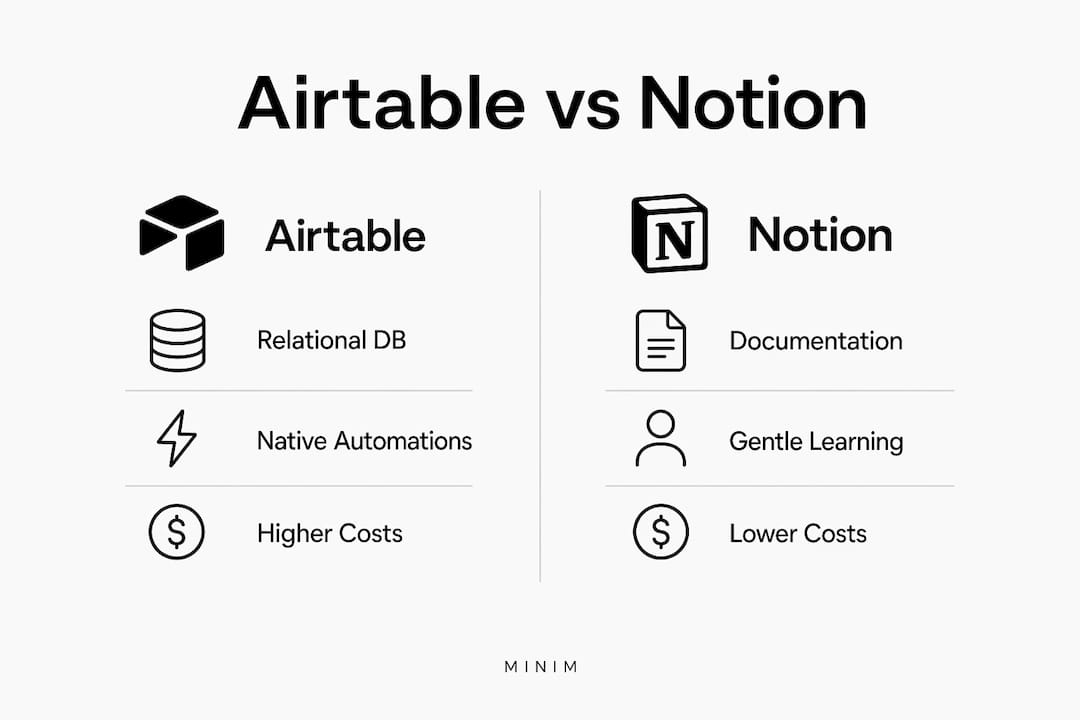
For most agency and brand teams, the answer isn't one or the other. Use Airtable for structured production pipelines, CRM, and content calendars, and use Notion for briefs, SOPs, and creative documentation. Airtable's native webhooks and 5 req/s API rate limit make it the right engine for event-driven automations. Notion's API caps at 3 req/s per integration and has no native webhooks, so real-time triggers require polling workarounds. For teams that want to skip the tool overhead entirely, MINIM operates as a production partner that plugs directly into either stack.
Table of Contents
- How Airtable handles structured agency production workflows
- What agencies need to know about API limits and automations
- Should you run Airtable and Notion together?
- Pricing and implementation timeline
- How to choose based on your team's actual needs
- Performance and scalability for large datasets
- Mobile and offline usage
- Security and data privacy for agencies and brands
- Support and community resources
- When a production partner removes the tool overhead entirely
- Key Takeaways
How Airtable handles structured agency production workflows
Airtable's relational data model is its core advantage for agencies. Linked tables, rollups, and lookups let you model a production pipeline the way it actually works: assets linked to deliverables, deliverables linked to clients, clients linked to billing milestones. That's not something a flat spreadsheet handles cleanly.
The views agencies use most include grid for raw data editing and bulk updates, kanban for status-based production stages, gallery for visual asset review, gantt/timeline for shoot and delivery scheduling, and interfaces for client-facing dashboards without exposing raw data.
Native automations handle the triggers that matter in production: a record flipping to "Ready for Review" can fire a Slack message, create a task in Asana, or call an external webhook, all without Zapier. The API rate limit is 5 requests per second, sufficient for most mid-size agency workflows.
Pricing is where Airtable bites. The Team plan runs at a moderate cost per seat monthly. Exceeding the plan's record or automation limits forces an upgrade to a higher tier with increased per-seat costs. For a 10-person team scaling a content calendar, that threshold can arrive faster than expected.
The learning curve is real. Airtable looks like a spreadsheet but requires database-architecture thinking to build anything beyond a basic table. Most teams need two to four weeks before relational setups feel natural.
Pro Tip: Run a minimum pilot: one production pipeline base, 30 days of live automations. Measure record growth rate and automation run count against your current plan's limits before committing to an annual contract.
| Feature | Airtable |
|---|---|
| API rate limit | 5 req/s |
| Native webhooks | Yes |
What agencies need to know about API limits and automations
The technical gap between these two tools is sharpest at the automation layer.
Airtable supports a higher API rate limit and has native webhook support; Notion's API calls are more limited per integration and lacks native webhook support. Notion thus requires third-party services for real-time triggers, which adds latency and complexity. For a campaign with a hard air date, that matters.
API limits at a glance: Airtable supports 5 req/s with native event-driven webhooks. Notion allows 3 req/s per integration with no native webhook support, requiring polling for real-time workflows.
Notion databases degrade noticeably as the number of records grows into the several thousands, and its formula language hits limits on complex computations. Airtable handles larger record sets more gracefully, though plan upgrades become necessary at scale.
Pro Tip: Design automations to batch updates where possible. Grouping five field changes into one triggered action keeps you well under rate limits and reduces third-party automation platform costs.

Should you run Airtable and Notion together?
Yes, for most agencies. Industry analysts consistently recommend a hybrid stack: Airtable as the canonical structured data store, Notion as the documentation and knowledge layer. Forcing either tool to do the other's job creates technical debt fast.
A practical pattern: Airtable holds the production pipeline, asset inventory, and client CRM. Notion holds the creative brief, brand guidelines, and post-mortem notes. A Zapier or Make connection syncs status updates from Airtable into the relevant Notion page, keeping both layers current without manual copying.
Tool-hopping between Airtable alternatives and Notion alternatives rarely solves the underlying problem. The efficient path is integration, not replacement.
Pricing and implementation timeline
Notion has a lower starting price per user than Airtable, making it more cost-effective at smaller team sizes. Notion's pricing is flatter as headcount grows; Airtable's record-driven upgrade thresholds can add thousands per year unexpectedly.
Simple CSV exports take one to three days. Complex relational setups with linked tables and embedded documents require manual rebuilds and can run one to three weeks. Budget that migration window before switching tools mid-campaign.
How to choose based on your team's actual needs
Three questions cut through most of the noise:
- What do you track more than you write? If the answer is assets, deliverables, and client status, Airtable fits. If it's briefs, wikis, and meeting notes, Notion fits.
- How large is your dataset? Under 5,000 records with light automation, either tool works. Above that, Airtable scales more reliably.
- How technical is your ops team? Airtable's relational model rewards database thinking. Notion's block editor is accessible to anyone who can use Google Docs.
Team size matters less than workflow type. A five-person agency running complex multi-client production pipelines needs Airtable's structure. A 50-person brand team primarily sharing creative guidelines and campaign briefs can live entirely in Notion.
Performance and scalability for large datasets
Airtable handles large record counts better, but plan limits enforce a hard ceiling. The Team plan's 50,000-record threshold and 25,000 automation runs per month are real constraints for high-volume production shops. Notion's performance degradation past 5,000 records is a softer limit but harder to plan around, since it shows up as slow page loads rather than a clear upgrade prompt.
For agencies managing multiple concurrent campaigns with hundreds of assets each, Airtable's architecture holds up. Notion is not the right tool for that volume of structured operational data.
Mobile and offline usage
Neither tool is built for offline-first workflows. Airtable's mobile app covers basic record editing and form submissions but limits complex relational editing. Notion's mobile experience is more polished for reading and light editing, though heavy database work on mobile is awkward in both.
For on-set or location work where connectivity is unreliable, neither replaces a dedicated offline tool. Plan accordingly.
Security and data privacy for agencies and brands
Both tools offer SOC 2 Type II compliance, which covers the baseline for most agency client contracts. Airtable's Business and Enterprise plans add granular field-level permissions and audit logs. Notion's Business plan includes member management and advanced permissions, though field-level data controls are less granular than Airtable's.
For agencies handling sensitive client data or working under NDAs, Airtable's permission model gives more control over who sees which fields within a shared base.
Support and community resources
Airtable's documentation is thorough, and its community forum is active. The Airtable Universe template library gives agencies a starting point for common workflows. Notion's community is larger and more visible, with thousands of user-built templates and active subreddits. Both offer email support on paid plans; Airtable adds priority support at the Business tier.
For onboarding a team quickly, Notion's gentler learning curve and richer template ecosystem give it a practical edge. Airtable's more specialized community tends to produce higher-quality workflow templates for operational use cases.
When a production partner removes the tool overhead entirely
Choosing between Airtable and Notion is a real decision, but it's a secondary one for agencies whose primary constraint is production capacity, not software configuration.
MINIM is a full-service production partner that integrates directly with agency creative teams to deliver commercial video campaigns from concept through final delivery. Rather than building and maintaining your own Airtable pipelines and Notion documentation stacks, MINIM operates within your existing workflow, consuming Airtable production briefs and publishing deliverables back into your Notion workspace.

What MINIM delivers for agency partners:
- Cinematic commercial video production and creative campaign execution
- Creative strategy, art direction, screenwriting, and brand design
- Photography, film, 2D/3D visual effects, and in-house studio services
- Direct integration with your Airtable pipeline and Notion brief structure
- Project-based billing with no long-term retainer required
Past campaigns for Sanabul and Wilco Offroad show the range. If your team is spending more time configuring tools than producing work, review MINIM's services and reach out to scope a pilot engagement.
Key Takeaways
For most agencies, the strongest setup pairs Airtable for structured production data with Notion for documentation, and brings in a production partner like MINIM when execution capacity is the real constraint.
| Point | Details |
|---|---|
| Use both tools together | Airtable handles structured pipelines; Notion handles briefs, SOPs, and wikis. |
| API limits shape automation design | Airtable offers 5 req/s with native webhooks; Notion caps at 3 req/s with no native webhooks. |
| Pricing diverges at scale | Airtable costs 2–3× more than Notion per seat at comparable tiers, with record-volume upgrades adding thousands per year unexpectedly. |
| Scalability ceiling differs | Notion degrades past 5,000 records; Airtable's Team plan holds to 50,000 before a forced upgrade. |
| MINIM as execution layer | MINIM integrates with Airtable and Notion workflows to deliver commercial campaigns without expanding internal headcount. |