
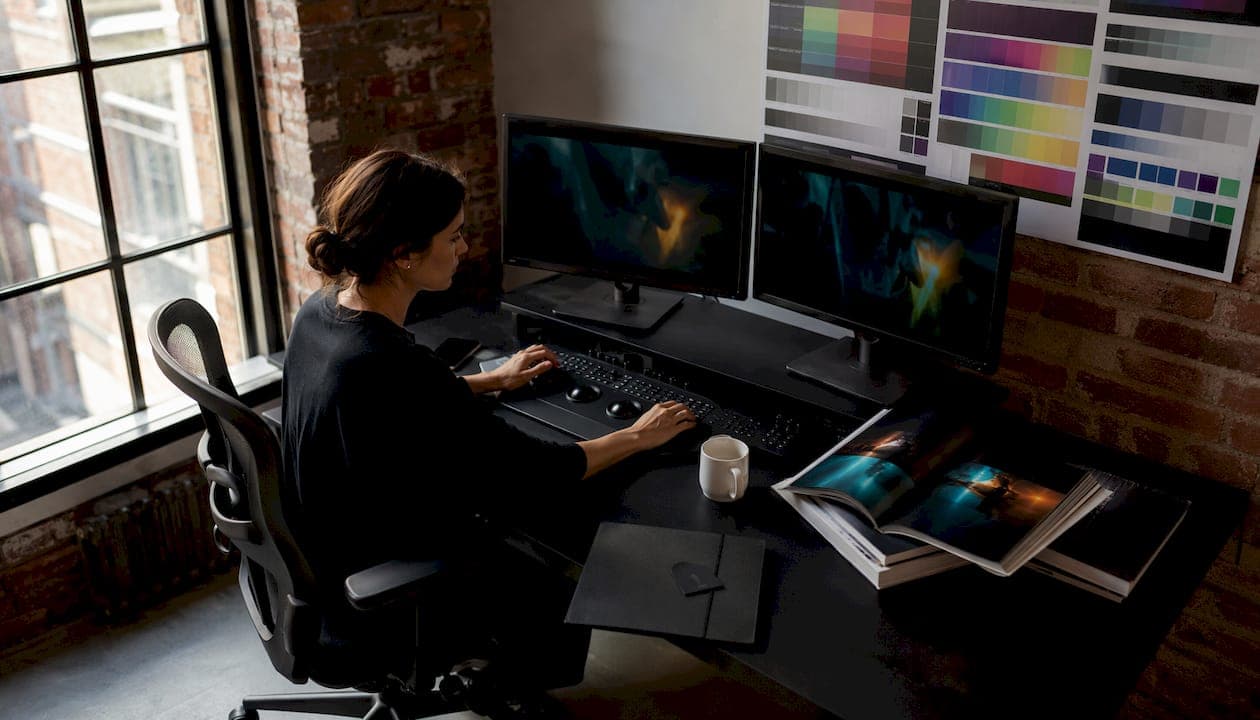
For agency-grade commercial work, DaVinci Resolve Studio is the strongest starting point — its node-based workflow, ACES support, and HDR mastering tools cover the full range of premium deliverables at a one-time cost that no subscription rival matches. Before committing, check three constraints: your colorist's skill level, whether your monitoring chain is calibrated for HDR, and what your deliverable specs actually require (HDR PQ/HLG, IMF, Dolby Vision).
Quick "best for" scan:
- DaVinci Resolve Studio — agency and studio finishing, HDR mastering, LUT creation
- FilmLight Baselight — dedicated post facilities, feature film and broadcast finishing
- Assimilate SCRATCH — dailies-heavy pipelines, realtime conform and playback
- Adobe Premiere Pro (Lumetri) — editor-led teams, fast turnaround, no round-tripping
- Final Cut Pro — Mac-native editorial, one-time purchase, Apple Silicon speed
Table of Contents
- What are the best color grading tools for agency work?
- When a managed grading partner beats buying software
- Key Takeaways
What are the best color grading tools for agency work?
Resolve Studio anchors this shortlist because it handles the widest range of agency scenarios. The other five tools each win in specific contexts. The table below compares them on the dimensions that matter most to creative directors: deliverable specs, licensing model, learning curve, and pipeline fit.

| Tool | Best For | Pricing & Licensing | Learning Curve | Color Science & Standards | RAW & Format Support | Hardware Integration | Collaboration | AI/Auto Features | Deliverables |
|---|---|---|---|---|---|---|---|---|---|
| DaVinci Resolve Studio | Agency finishing, HDR mastering, LUT creation | One-time purchase for Studio; free tier available. | Steep for node workflow; approachable for basics | ACES, HDR10+, Dolby Vision, YRGB | R3D, ARRIRAW, ProRes RAW, BRAW, most camera-native formats | Blackmagic and Tangent panels; GPU acceleration | Multi-user collaboration; Blackmagic Cloud | Neural Engine: shot matching, auto-balance; AI region tracking | HDR PQ/HLG, Dolby Vision, IMF, LUT export, ProRes |
| FilmLight Baselight | Feature film and broadcast finishing in post facilities | Subscription pricing starting at a high professional tier; hardware systems priced for facility environments. | High; facility-level operator required | Advanced color science, Base Grade, deep format conversion | Broad format support for facility pipelines | Facility-grade hardware; dedicated control surfaces | Facility-focused multi-seat | Limited; human-led finishing emphasis | HDR, broadcast specs, IMF |
| Assimilate SCRATCH | Dailies, realtime conform, IO-heavy pipelines | Subscription and perpetual options; contact for pricing | Moderate; pipeline-specialist skill needed | Solid color management for finishing | Wide format and RAW support for dailies | High-throughput IO hardware; GPU-accelerated playback | Pipeline-integrated; dailies distribution | Realtime playback; limited creative AI | Dailies packages, conform outputs, finishing |
| Adobe Premiere Pro (Lumetri) | Editor-led teams, fast commercial turnaround | Creative Cloud subscription with monthly payments. | Low; familiar to most editors | Basic color management; limited ACES native support | Broad NLE format support; limited RAW depth | Standard GPU; no dedicated panel support | Adobe Team Projects; cloud collaboration | Auto color, shot match; limited for premium grades | SDR/HDR export; limited IMF |
| Final Cut Pro | Mac-native editorial, one-time purchase model | One-time purchase available on Mac App Store. | Low to moderate; clean native toolset | Color wheels, curves, hue/sat curves; limited ACES | ProRes RAW, standard formats; limited camera-native RAW | Apple Silicon optimized; no dedicated panel | Limited; single-user focus | Basic auto-balance; Color Finale plugin adds depth | ProRes; limited HDR mastering |
| Red Giant / Maxon — Magic Bullet Suite | Film emulation, look development as NLE plugin | Subscription-based pricing under Maxon One. | Low; plugin-based, works inside existing NLE | No native ACES; film emulation and LUT-based looks | Dependent on host NLE | No dedicated panel; GPU-accelerated rendering | No native collaboration tools | Looks presets; limited shot matching | LUT export; dependent on host NLE output |
DaVinci Resolve Studio
Resolve's Color page is the closest thing to an industry standard for premium finishing — used on more high-end features and streaming shows than any competing system. The free tier covers professional-grade color work; Studio adds Dolby Vision, HDR10+ mastering, GPU noise reduction, and the Neural Engine for AI-assisted shot matching. Node-based grading is what separates it from every NLE-integrated tool: each adjustment is modular, non-destructive, and individually bypassable, which is exactly what large-scale shot matching across a multi-camera commercial shoot requires.
- Pros: One-time cost, full ACES/HDR pipeline, Blackmagic and Tangent panel support, free tier for evaluation
- Cons: Steep learning curve for node workflow; requires a trained colorist to unlock its ceiling
FilmLight Baselight
Baselight holds its position at the top of the facility market because its layer-based color science and Base Grade workflow consistently produce results that experienced colorists choose for the most demanding projects. The macOS subscription tier (from $7,500/year) opened it to freelance colorists for the first time in 2025. For most agencies, the infrastructure cost and operator requirement make it a post-facility conversation, not an in-house purchase.
- Pros: Best-in-class color science, deep format conversion, preferred by top-tier colorists
- Cons: High cost, facility-level infrastructure required, not practical for in-house agency use
Assimilate SCRATCH
SCRATCH earns its place in high-throughput pipelines where realtime dailies and integrated playback matter as much as the grade itself. It's the right call when a production needs fast camera-original review, conform, and finishing in a single environment without round-tripping through multiple apps.
- Pros: Realtime playback, strong IO, integrated dailies and conform
- Cons: Specialist tool; limited creative look development compared to Resolve or Baselight
Adobe Premiere Pro (Lumetri)
Lumetri handles roughly 80% of everyday color tasks without leaving the editorial timeline — wheels, curves, HSL secondary, creative LUTs, and basic masks are all there. For standard commercial work where speed matters and the deliverable is SDR or basic HDR, it's a legitimate finish-in-place option. For premium HDR mastering or ACES pipelines, round-tripping to Resolve via XML/AAF is the standard practice.
- Pros: Zero learning curve for editors, no round-trip for standard work, Adobe ecosystem integration
- Cons: Subscription cost accumulates, limited ACES support, not suited for premium HDR finishing
Final Cut Pro
Apple's one-time purchase model and Apple Silicon performance make Final Cut Pro genuinely attractive for Mac-native editorial teams. The native color tools cover most commercial needs; the Color Finale plugin extends them meaningfully. Where it falls short is ACES support and multi-user collaboration — both gaps that matter on larger agency productions.
- Pros: $299.99 one-time, fast on Apple Silicon, clean native toolset
- Cons: Mac-only, limited ACES/HDR mastering, single-user workflow
Red Giant / Maxon — Magic Bullet Suite
Magic Bullet Looks and the broader Suite are the fastest route to cinematic film emulation without switching editors. They layer onto Premiere, Final Cut, and After Effects as plugins, which means zero pipeline disruption. The trade-off is depth: no ACES, no dedicated panel support, and shot matching across a large campaign is manual work.
- Pros: Fast look development, film emulation quality, works inside existing NLE
- Cons: No ACES, no collaboration, dependent on host NLE for delivery specs
How to choose: a five-point decision checklist
Match your scenario to the right tool before you commit:
- Deliverable specs — HDR PQ/HLG, Dolby Vision, or IMF required? Resolve Studio or Baselight. SDR commercial? Lumetri or Final Cut Pro
- In-house colorist skill — No trained colorist on staff? Outsource or use Lumetri for editorial passes.
- Project scale — Multi-camera RAW, large shot count, brand consistency across markets? Resolve Studio.
- Turnaround cadence — Fast dailies and conform in one tool? SCRATCH.
- Budget — One-time cost preferred? Resolve Studio ($295) or Final Cut Pro ($299.99). Subscription acceptable? Creative Cloud or Maxon One.
Pro Tip: Professional pipelines require calibrated monitoring and scope-based verification regardless of which software you choose. A $295 Resolve Studio license paired with an uncalibrated display will produce worse results than Lumetri on a properly calibrated monitor.
When a managed grading partner beats buying software
For many agency-level commercial campaigns, the right answer isn't which software to buy — it's whether to buy at all. Outsourcing to a managed grading partner makes more sense when brand consistency, delivery certainty, and speed matter more than software ownership.
The scenarios where outsourcing wins: a one-off campaign spike with no certified colorist in-house; a deliverable spec (Dolby Vision, IMF) that requires a calibrated finishing environment you don't have, or a tight window where a trained eye and proven pipeline matter more than learning curve.

MINIM operates as a strategic production partner for agencies that need premium commercial execution without adding headcount. From creative strategy through final delivery, MINIM integrates directly with your creative team — bringing the calibrated finishing environment, colorist expertise, and ACES/HDR workflow that premium brand work demands. The portfolio shows the range: cinematic commercial campaigns delivered reliably and at scale.
Pro Tip: When evaluating any grading partner, request a test grade on your actual camera footage, confirm their ACES/HDR workflow and deliverable specs, and ask for their turnaround SLO in writing. A strong partner will answer all three without hesitation.
To start a conversation about your next campaign, reach out to MINIM and share your brief.
Key Takeaways
DaVinci Resolve Studio is the strongest single tool for agency-grade color grading, but the right choice depends on deliverable specs, colorist skill, and whether in-house software or a managed partner better fits the campaign.
| Point | Details |
|---|---|
| Resolve Studio leads the shortlist | One-time purchase ($295) covers ACES, HDR10+, Dolby Vision, and node-based workflows for agency finishing. |
| Lumetri handles standard commercial work | Many everyday color tasks are achievable inside Premiere Pro without round-tripping. |
| Calibration matters as much as software | A calibrated monitor and proper scopes are required for repeatable HDR delivery, regardless of tool choice. |
| Outsourcing beats buying for one-off campaigns | When no certified colorist is on staff or delivery specs are complex, a managed partner is faster and lower risk. |
| MINIM as managed partner | MINIM delivers full-service commercial grading and finishing for agencies that need premium results without expanding headcount. |
Recommended
- Our Services | Enhance Your Brand Today — MINIM | Content Production Company
- Our Services (Copy) | Elevate Your Brand Today - Explore Our Services — MINIM | Content Production Company
- Work | Elevate Your Content — Get Started Today — MINIM | Content Production Company
- MINIM | Content Production Company