

For high-end creative production, choose Asana when your agency needs fast adoption and governed client-facing workflows; choose ClickUp when you have ops resources to build and maintain a tailored workspace. If neither fits your implementation capacity, MINIM integrates directly with your team to run production workflows end-to-end, so you get the platform benefits without hiring a full-time admin.
Asana is usable within hours for non-technical creative teams; ClickUp setup typically takes days to weeks of admin configuration. That gap alone determines which tool survives past the pilot.
Table of Contents
- How do ClickUp and Asana compare for agency production?
- Which platform handles AI and automation better for production workflows?
- How should you evaluate these tools during a trial?
- MINIM handles the production layer your PM tool can't
- Key Takeaways
How do ClickUp and Asana compare for agency production?
| Dimension | ClickUp | Asana |
|---|---|---|
| Best for | Ops-led agencies wanting consolidation and max features per dollar | Client-facing creative teams needing fast adoption and predictable automation |
| Onboarding / setup time | Days to weeks; 5 hrs admin config before productive | Hours; usable same day for most creative roles |
| Customization depth | Deep: custom fields, statuses, multiple views, nested hierarchy | Moderate: opinionated defaults, less overhead to maintain |
| AI & automation | ClickUp Brain (add-on); broad agents, ambient AI, notetaker | AI Studio: no-code governed workflow builder, included in paid tiers |
| Pricing / perceived value | Free Forever (unlimited users); paid from ~$7/user/mo | Free tier restricted; paid from ~$11/user/mo; AI included at paid tiers |
| File handling & asset review | Native attachments; no dedicated review/versioning layer | Native attachments; no dedicated review/versioning layer |
| Creative tool integrations | Google Drive, Dropbox, Adobe CC via Zapier; Frame.io via third party | Google Drive, Dropbox, Adobe CC; Frame.io via third party |
| Reporting & resource mgmt | Built-in time tracking; workload view shows task counts, not utilization | Workload view (paid); no native time tracking below Advanced plan |
| Mobile / UX | Feature-rich but can feel cluttered on mobile | Cleaner mobile UX; mirrors desktop well for approvals on the go |
| Ideal team size / governance | Mid-to-large with a dedicated admin or ops champion | 5–30 people; works without a dedicated admin |
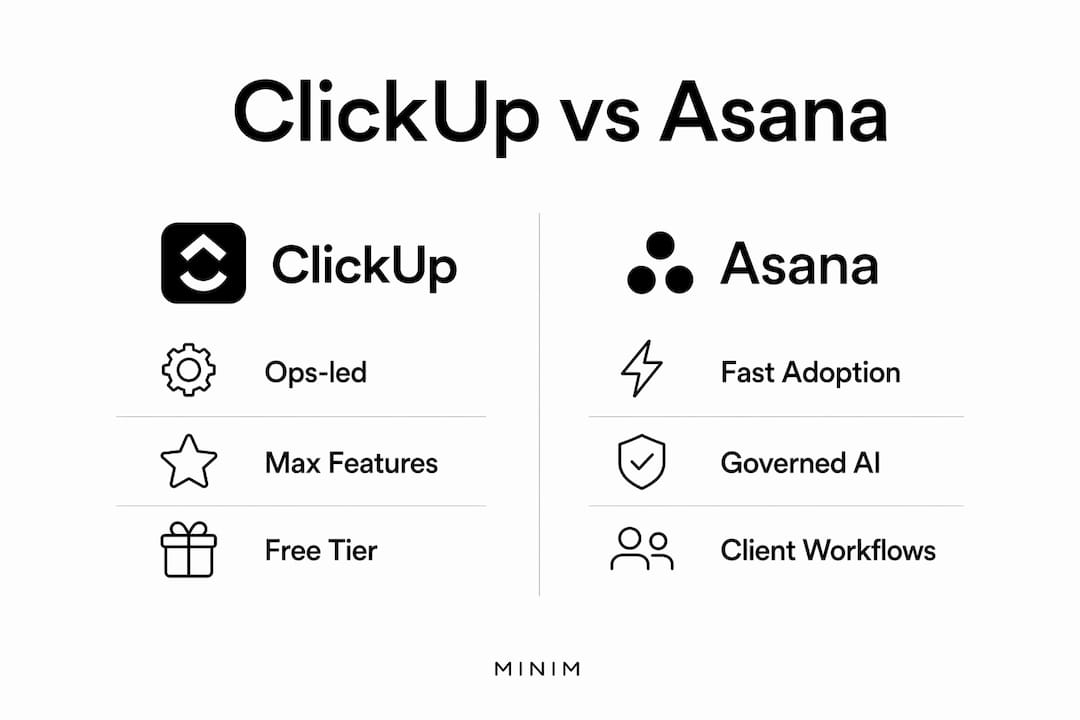
ClickUp pros for agencies: Native time tracking across all plans. Generous free tier with unlimited users and tasks. One subscription replaces separate docs, whiteboard, and chat tools. Deep configurability for unusual production hierarchies.

ClickUp cons: Configuration overhead is the primary pitfall. Without a dedicated admin, workspaces devolve into disorganized task dumps. Large workspaces with heavy attachments can lag noticeably, which disrupts review cycles. ClickUp Brain costs extra on top of base plan pricing.
Asana pros for agencies: Asana's Timeline is designed to be suitable for sharing directly with clients. AI Studio is included in paid plans, not gated behind an add-on. Adoption friction is low enough that freelancers and contractors get up to speed without hand-holding.
Asana cons: No native time tracking below the Advanced tier. Free plan caps users and locks automations entirely. Customization is shallower, which frustrates ops-heavy teams. Portfolios and advanced reporting require the pricier Business tier.
Pricing note: ClickUp's base paid plan runs roughly $7/user/month; Asana's Starter opens at ~$11/user/month. Adding ClickUp Brain increases costs, making per-seat pricing comparable depending on features added. Asana includes more AI features at its base paid tier, which changes the value calculation for agencies that want governed automation without a separate line item.
Which platform handles AI and automation better for production workflows?
The honest answer: ClickUp gives you more AI touchpoints per dollar; Asana gives you more governed AI per workflow. Which matters depends on how your agency actually runs projects.
ClickUp Brain operates as an always-on assistant, ambient notetaker, and Autopilot Agent layer across your workspace. It can summarize task threads, generate briefs from scratch, and answer questions across your connected tech stack. The catch is that Brain is sold as an add-on, and the automation quota on the free plan caps at 100 runs per month. Paid tiers increase that ceiling, but AI automation capacity remains gated by which add-ons you've purchased.
Asana AI Studio takes a different approach: a no-code workflow builder where you define triggers, conditions, and actions visually. For a production workflow that runs brief → task creation → internal review → client approval, Asana's governed model means the automation behaves predictably every time. Asana includes unlimited automations on paid plans, which removes the quota anxiety that ClickUp's free-tier limits create.
Concrete production workflow examples:
- Brief intake to task creation: ClickUp Brain can draft a task list from a brief; Asana AI Studio can trigger a templated project automatically when a form is submitted.
- Asset review cycles: Neither platform has a native frame-accurate video review layer. Both rely on Frame.io or similar tools via third-party integration.
- Status updates to clients: Asana's Timeline is client-ready out of the box. ClickUp's Gantt view requires configuration to reach the same clarity.
- Meeting notes: ClickUp Brain's notetaker captures and summarizes; Asana has no equivalent native feature yet.
Performance caveat: ClickUp workspaces with complex tasks and heavy attachments can experience some load delays, which may affect responsiveness. For high-volume asset workflows where creative teams are uploading large video files, that latency compounds across a production day. Asana maintains steadier performance but requires stricter workflow discipline to avoid clutter.
Pro Tip: Before committing to ClickUp Brain as your AI layer, run a 30-day pilot with a real production project and measure how often the automation quota resets before month end. If you hit the ceiling mid-sprint, you'll need to budget for the add-on from day one.
How should you evaluate these tools during a trial?
Treat the trial as a stress test, not a demo. The questions that surface adoption failure are rarely the ones vendors lead with.
Decision checklist (run in this order):
- Can a non-technical creative team member complete their first task without admin help within 30 minutes?
- Does the asset review workflow match how your team actually handles client approvals, or does it require a workaround?
- Can you export a client-ready billing summary or utilization report without a third-party integration?
- Does the resource reporting show percentage of capacity used, not just task count?
- Do integrations with Google Drive, Dropbox, or Adobe CC work without a Zapier intermediary?
- What happens to automation when you exceed the monthly quota mid-project?
Vendor questions worth asking directly:
- What are the file size limits per attachment, and how does that affect video asset uploads?
- Is AI pricing per seat, per workspace, or per automation run?
- What admin controls exist for custom field governance across multiple client workspaces?
- Does the review/approval workflow support multi-stakeholder sign-off, or only single assignee?
- What is the API rate limit for Frame.io or Adobe CC integrations at your plan tier?
Red flags that predict long-term adoption failure:
- High latency when loading a workspace with 50+ tasks and attachments during the trial
- No designated admin or ops champion on your team to own configuration
- Custom fields created ad hoc by multiple team members with no governance policy
- Automations that break silently when a connected integration updates
- Neither platform fully replaces purpose-built agency billing and utilization systems — if your agency needs client-ready invoices or granular utilization reporting, plan for a production layer on top of whichever tool you choose
Pro Tip: Calculate your "configuration tax" before signing: how many hours per month does your team currently spend maintaining your project management tool? If it's more than five hours, a simpler opinionated tool will save time even if it's less flexible.
MINIM handles the production layer your PM tool can't
Whichever platform you choose, ClickUp and Asana manage tasks. They don't produce campaigns. MINIM integrates directly with your creative team to deliver cinematic commercial work from concept through final delivery, on a project basis, without adding headcount to your roster.

For agencies evaluating a platform rollout alongside an active production slate, the implementation overhead is real. MINIM's model covers the production execution side while your team configures governance, so neither track stalls the other. You get a pilot, a setup framework, and a governance handoff built into the engagement.
See MINIM's production capabilities or review completed campaigns to assess fit. When you're ready to scope a project, start the conversation here.
Key Takeaways
Asana wins on adoption speed and governed AI workflows; ClickUp wins on feature breadth and free-tier value, but demands an ops champion to avoid configuration debt.
| Point | Details |
|---|---|
| Adoption speed | Asana is usable within hours; ClickUp setup typically takes days to weeks of admin configuration. |
| AI cost structure | ClickUp Brain costs extra as an add-on; Asana includes AI Studio in paid tiers, changing the per-seat math. |
| Production reporting gap | Neither platform replaces agency-grade billing exports or utilization reporting without third-party tools. |
| Red flag to watch | Latency in large ClickUp workspaces with heavy attachments can disrupt review cycles at scale. |
| MINIM's role | MINIM handles end-to-end commercial production for agencies, operating alongside whichever PM platform you choose. |