

A product launch video lands when it opens with a single, unmistakable value claim in the first three seconds, tells one clear job-to-be-done story, and ships as a modular asset suite across every platform your audience actually uses. That combination, not production budget alone, is what drives measurable results in the first 90 days.
Three things separate launches that convert from ones that just look good:
- Hook first, always. Viewers decide in seconds. If your value claim isn't on screen before the skip button appears, it won't be seen.
- One job, one story. Videos that try to cover every feature lose everyone. Pick the single problem your product solves and build the whole narrative around it.
- Multi-format from day one. Exporting to multiple formats significantly increases aggregate view time compared to single-format launches. That's not a nice-to-have; it's the distribution strategy.
- KPIs over vanity. Set 90-day business-facing KPIs before production starts. Lead generation rate and demo-request conversion are the metrics that matter, not view counts.
Your primary 90-day KPI should be demo-request or trial conversion rate, tracked from the video's landing-page embed. Everything else, including views and shares, is context, not signal.
Table of Contents
- What makes a product launch video worth watching?
- Six traits that separate high-performing launch videos from vanity assets
- Which launch video format fits your goal?
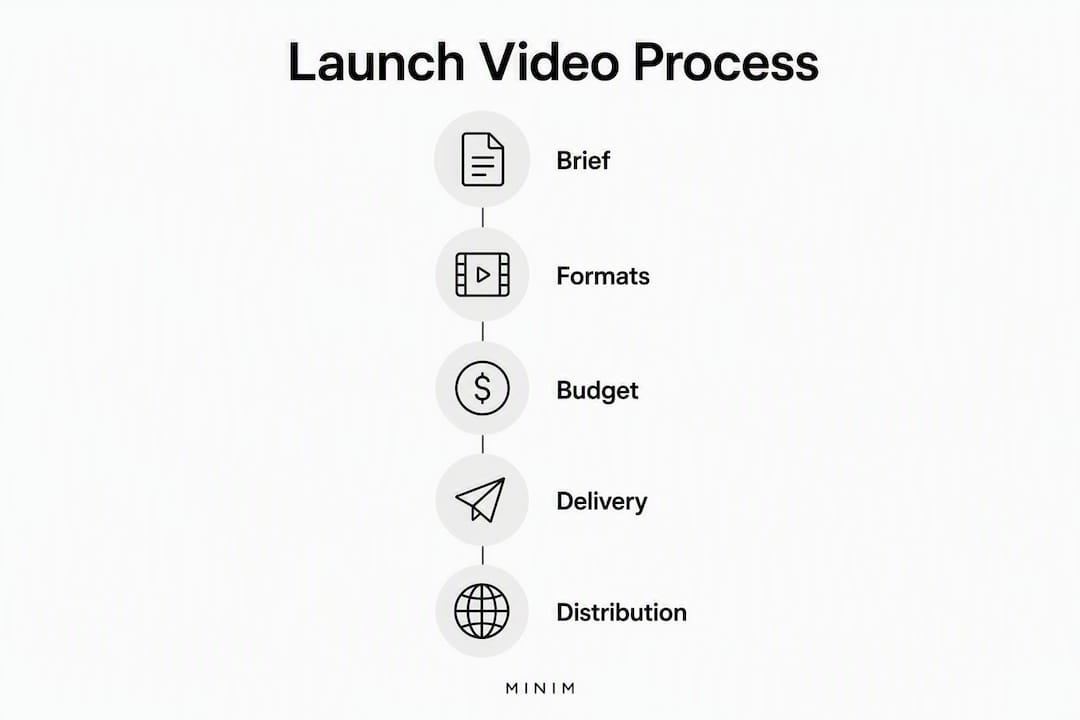
- How to run a product launch video from brief to final delivery
- What does a launch video actually cost, and how long does it take?
- How should you distribute a launch video across platforms?
- How do you choose between agency, AI tools, and in-house production?
- How MINIM partners on product launch films
- What are the legal and copyright rules for launch video assets?
- Key Takeaways
- What actually separates a launch film from a vanity asset
- Work with MINIM on your next launch film
- Useful sources
What makes a product launch video worth watching?
The best launch videos share a structure that's easy to reverse-engineer once you know what to look for. Below is a curated set of examples worth studying, each chosen for a specific creative or structural move you can lift directly.
| Launch | Goal | Standout move | Primary platform |
|---|---|---|---|
| Apple iPhone 15 Pro reveal | Consumer hardware awareness | Opens on material texture before showing the device; no words for the first 8 seconds | YouTube hero / broadcast |
| Notion AI launch | SaaS feature adoption | Demonstrates the AI completing a real task; no narration needed | Twitter/X + LinkedIn |
| Samsung Galaxy Watch Ultra 2 | Premium wearable reveal | Rugged environment B-roll before a single spec appears; emotion before information | YouTube + paid social |
| Figma Config keynote clip | B2B product reveal | Live demo with a real designer's file; authenticity over polish | YouTube + LinkedIn |
| Google Pixel 11 Pro teaser | Pre-launch awareness | Design-only reveal with zero feature claims; creates search demand before launch day | YouTube Shorts + CNBC coverage |
| Slack's "So Yeah, We Tried Slack" | B2B adoption | Mockumentary format; humor makes a productivity pitch feel human | YouTube + email |
| Linear app launch | Developer tool awareness | 60-second dark-mode cinematic; sound design carries the pacing | Twitter/X + Product Hunt |
| Superhuman onboarding video | Conversion / trial | Founder narrates the single pain point; no B-roll, no music bed | Landing page hero |
| Shopify Editions | Enterprise product reveal | Anthology format; multiple products, one narrative thread | YouTube + partner email |
| Loom async video pitch | B2B SaaS consideration | Screen + webcam POV; shows the product being used, not described | LinkedIn + direct outreach |
What to copy: Study how each video sequences information. The best ones put the emotional or visual hook before any feature claim. The Notion AI example is worth watching frame by frame: the product does something useful on screen before a single word of copy appears. That sequence, visual proof then verbal claim, is the template.
Six traits that separate high-performing launch videos from vanity assets
These aren't aesthetic preferences. Each trait maps to a specific funnel stage and has a measurable effect on completion and conversion.
-
Single-job narrative. Every word of script should answer one question: what problem does this solve, for whom, right now? Videos that try to cover three use cases at awareness stage lose viewers before the second use case appears. This matters most at the top of funnel, where attention is cheapest and shortest.
-
An 8-second hook that earns the next 30. The hook isn't the logo animation. It's the first visual or line of copy that makes a viewer stop scrolling. For paid social, product reveal clips commonly run 3–5 seconds and use dramatic visual effects specifically designed to interrupt the feed. For a hero video, you have slightly more runway, but the principle holds.
-
Sound design, not just a music bed. UI sounds, subtle motion audio, and a clean voice-over mix communicate quality before the viewer consciously registers it. A video with a generic royalty-free track under a screen recording reads as low-effort, regardless of the product's actual quality.
-
Authentic UI demos. Staged, pixel-perfect UI that no real user would encounter breaks trust, especially in B2B SaaS. Show real workflows, real data states, real error handling. Consideration-stage viewers are evaluating whether the product actually works.
-
Tight pacing. Hero cuts for SaaS launches typically run under two minutes; anything longer tends to lose completion for most audiences. Pacing is editing: cut every second that doesn't advance the story or the emotion.
-
Modular versioning built into the edit. Design the core edit so it can produce a 90-second hero, a 30-second social cut, a 15-second paid variant, and a silent loop without rebuilding from scratch. This is a production decision made at the scripting stage, not in post.
Pro Tip: Before committing to a full rollout, cut three versions of your 8-second hook with different opening frames and run them as paid social dark posts for 48 hours. The hook with the highest 3-second view-through rate is the one to build the full campaign around. This test costs a few hundred dollars and can save a full reshoot.
Which launch video format fits your goal?
The format question is really a goal question. Get the goal wrong and even a beautifully produced video ships to the wrong audience on the wrong platform.
-
Teaser (3–15 seconds). Pre-launch awareness. Reveals nothing about the product except that something is coming. Works best for consumer hardware and apps with an existing audience. Dominant platform: Instagram Stories, YouTube Shorts, paid social. The Google Pixel 11 Pro design reveal is a textbook example: design shown, zero specs, maximum search demand generated.
-
Reveal (15–60 seconds). Launch-day announcement. Shows the product for the first time, leads with the most dramatic visual or claim, and ends with a clear CTA. For e-commerce, paid social reveal clips run 3–5 seconds with particle or smoke effects. For consumer apps, 30 seconds on YouTube Shorts or TikTok.
-
Hero / brand film (45–90 seconds). Awareness to consideration. The flagship asset that lives on the landing page, runs as a YouTube pre-roll, and anchors the press kit. This is where cinematic production earns its cost: professional production measurably improves brand perception for complex launches where trust is the conversion barrier.
-
Product demo video (60–180 seconds). Consideration to conversion. Shows the product working, ideally with a real user's workflow. B2B SaaS teams should use authentic UI, not polished mockups. This format lives on the product page, in sales decks, and in mid-funnel email sequences.
-
Founder story (60–120 seconds). Trust and differentiation. Works particularly well for early-stage startups and B2B products where the "why we built this" narrative is a competitive advantage. Superhuman's onboarding video is the model: one person, one pain point, no production excess.
-
Enterprise enablement / investor asset (2–4 minutes). Internal alignment, board decks, and PR. Longer, more detailed, often narrated. Not a public-facing launch asset but a critical part of the launch package for Series B and later companies.
How to run a product launch video from brief to final delivery
A launch video that ships late or missing formats is a launch video that fails, regardless of creative quality. This checklist keeps production on track.
-
Lock the brief before anything else. Define the primary objective (awareness, trial, conversion), the audience segment, the single-job story, and the 90-day KPI. Attach the brand kit, approved messaging, and a list of all required assets. No script should be written until this document is signed off.
-
Write the script around the hook. Draft the 8-second hook first. If you can't write a hook that works, the brief isn't clear enough. The rest of the script follows from the hook's promise.
-
Plan for modular output at the storyboard stage. Mark which scenes will become the social cut, which will loop silently, and which will be cropped to 9:16. This decision made in pre-production saves days in post. Designing for modular output means a single core edit can produce hero cuts, verticals, silent loops, and email GIFs without reworking the base composition.
-
Shoot and capture with exports in mind. For UI demos, record at 4K or higher so the footage holds up when cropped to vertical. Capture clean audio on a separate track. Shoot B-roll in both landscape and portrait orientations. For screen recordings, use a high-frame-rate capture tool and record at the highest resolution the platform supports.
-
Post-production milestones. First assembly (hero cut, rough sound) → client review → picture lock → sound mix and color grade → motion design handoff → export package. Don't start exporting until picture is locked; every change after that point multiplies rework.
-
Export package. Hero cut (16:9, H.264 or ProRes), 30-second social cut (16:9 and 9:16), 15-second paid variant (9:16), silent loop (no audio, 10–15 seconds), email GIF (under 1MB). Add captions to every format.
-
Hosting and delivery. Use a CDN or dedicated video player for landing-page embeds. Hosting all assets only on public platforms risks page-speed penalties and sends traffic away from your owned properties. YouTube is for discovery; your CDN is for conversion.
Pro Tip: Build a refresh trigger into your launch plan. When the UI or core messaging changes materially, the launch video needs to change too. Prompt-based AI tools can shorten that refresh cycle from months to days, which matters for fast-moving SaaS products.
What does a launch video actually cost, and how long does it take?
Budget and timeline vary more by approach than by ambition. Here's where each route lands in practice.
-
AI-tool production (low budget). Roughly $500–$5,000 for a full export package. Timeline: 3–7 days from brief to delivery. Best for early-stage teams, rapid iteration, and content that needs to refresh frequently. Trade-off: limited cinematic quality and brand differentiation. Works well for demo videos and social cuts; less suited to hero films or investor assets.
-
In-house production (mid budget). Roughly $5,000–$25,000 depending on team size, equipment, and motion-design needs. Timeline: 2–4 weeks. Gives the most control but requires internal expertise in scripting, shooting, editing, and motion graphics. Commissioning motion graphics externally while keeping the edit in-house is a common hybrid that reduces cost without sacrificing visual quality.
-
Boutique agency or full-service production (high budget). Roughly $25,000–$150,000+ for a cinematic hero film with a full multi-format export package. Timeline: 4–8 weeks from brief to delivery. This is the route for launches where brand perception is the primary conversion lever, where the product is complex, or where the video will anchor a paid media campaign with significant spend behind it.
Primary cost drivers: Talent (on-camera, voice-over), VFX and motion design, licensed music, location and studio fees, localization (subtitles, dubbing, regional cuts), and revision rounds. The fastest way to reduce cost without reducing quality is to lock the brief before production starts and limit revision rounds contractually.
For sourcing B-roll or fill assets without adding shoot days, reputable stock footage libraries can cover generic scenes while keeping the budget focused on hero footage that requires original capture.

How should you distribute a launch video across platforms?
The same 90-second hero film cannot simply be uploaded everywhere. Each platform rewards a different format, length, and caption strategy.
| Format | Ideal platforms | Recommended length | Primary KPI |
|---|---|---|---|
| 16:9 hero film | YouTube, website landing page | 45–90 seconds | Demo requests, trial sign-ups |
| 9:16 vertical | TikTok, Instagram Reels, YouTube Shorts | 15–30 seconds | View-to-click rate |
| 1:1 square | LinkedIn feed, Instagram feed | 30–60 seconds | Engagement, profile visits |
| Silent loop | Website hero section, display ads | 10–15 seconds | Time on page, scroll depth |
| Email GIF | Launch email, nurture sequences | 3–5 seconds | Click-through rate |
| 16:9 short cut | LinkedIn, Twitter/X | 30–45 seconds | Shares, saves |
A few distribution decisions that most teams get wrong:
- Caption every format. Adobe's full-funnel video strategy recommends mapping video types to awareness, consideration, and conversion stages, but that mapping only works if the video is watchable without audio. Most social video plays silently by default.
- Don't rely on YouTube for landing-page conversion. YouTube embeds send traffic to YouTube. Use a dedicated player or CDN for any video embedded on a page where the goal is conversion, not discovery.
- Localize before you scale paid. A single regional language cut can open an entirely new audience segment. Subtitles are the minimum; dubbed audio is worth the cost for markets where the product has significant paid media spend.
- Metadata is distribution. YouTube titles, descriptions, and chapters affect search ranking. Treat them as copy, not admin.
How do you choose between agency, AI tools, and in-house production?
The right answer depends on four variables: timeline, budget, required polish, and how often the asset needs to refresh.
Agency (full-service or boutique):
- Best for: hero films, investor assets, campaigns with significant paid media behind them
- Strengths: cinematic quality, brand differentiation, end-to-end creative ownership
- Risks: longer timelines, higher cost, revision limits in contracts
- Questions to ask: How many revision rounds are included? Do you deliver a full multi-format export package? Who owns the raw files? What's your CDN or hosting recommendation?
AI-powered tools:
- Best for: demo videos, rapid social content, frequent refresh cycles
- Strengths: speed, low cost, easy iteration
- Risks: limited differentiation, template-driven aesthetic, brand-kit fidelity issues
- Questions to ask: Can the tool ingest our brand kit? What export formats does it support? How does it handle UI recordings?
In-house:
- Best for: teams with existing production capability, ongoing content programs, tight budgets
- Strengths: maximum control, fastest iteration on messaging
- Risks: quality ceiling, resource drain, motion-design gaps
- Questions to ask: Do we have the motion-design and sound-mix capability to match the brand standard? Can we realistically hit the export package deadline?
- Define your non-negotiables first: timeline, minimum quality bar, and refresh frequency.
- Score each approach against those three variables.
- Run a paid pilot with any external partner before committing to a full production contract.
- Review the partner's multi-format export package and revision policy before signing.
Pro Tip: Ask any agency or AI-tool vendor to show you a real export package from a recent launch, not a highlight reel. The quality of the 9:16 cut and the silent loop tells you more about their multi-format capability than the hero film does.
Red flags: a vendor who can't show you the full export package, who doesn't ask about your KPIs before pitching a creative concept, or who quotes a single deliverable with no versioning included.
How MINIM partners on product launch films
MINIM sits at the premium end of the production decision matrix: full-service commercial video production integrated directly with agency creative teams, from concept through final multi-format delivery.
The offering covers the full production stack: creative strategy, campaign development, brand design, screenwriting, art direction, photography, film, 2D/3D visual effects, and in-house studio execution. For agencies managing a product launch on behalf of a client, MINIM functions as a production extension of the creative team rather than a separate vendor relationship.
Key proof points and portfolio signals:
- MINIM's work gallery shows campaign execution across categories, with cinematic production quality that supports brand-perception goals for complex launches.
- The full services overview covers every stage from strategy through VFX, which means a single engagement covers the brief-to-delivery workflow without handoffs between vendors.
- MINIM's in-house studio capability removes the location and equipment variables that push boutique agency timelines out.
Typical engagement model: project-based, scoped per campaign. A pilot engagement usually covers one hero cut plus a core multi-format export package, which gives both teams a low-risk way to validate creative alignment before a larger campaign commitment.
For B2B video campaigns where the video needs to perform across paid media, sales enablement, and investor contexts simultaneously, MINIM's integrated model removes the coordination overhead that typically slows multi-format launches.
What are the legal and copyright rules for launch video assets?
This is the area most teams underestimate until a takedown notice arrives the week of launch.
Music licensing. Royalty-free doesn't mean free to use commercially. Most royalty-free libraries (Artlist, Musicbed, Epidemic Sound) require a commercial license tier for videos used in paid advertising. Sync licenses for commercially released tracks require a separate negotiation with the rights holder and can take weeks. Budget for music licensing as a line item, not an afterthought.
Talent and appearance releases. Anyone who appears on camera, including employees, needs a signed appearance release before the video is published. For paid advertising, the release must explicitly cover paid media use. Releases signed for "internal use" don't cover a YouTube pre-roll campaign.
UI and third-party assets. If your demo video shows a third-party app, platform, or brand's interface, check the terms of service. Some platforms explicitly prohibit commercial use of their UI in promotional materials. Screenshot and screen-recording rights vary by platform.
Stock footage and motion graphics. Extended or commercial licenses are required for any stock asset used in a video that runs in paid advertising. Standard licenses typically cover organic use only. Verify the license tier before the asset goes into the edit.
AI-generated assets. The copyright status of AI-generated video, images, and music is still being litigated in U.S. courts. For launch videos where brand ownership of the asset matters, consult an IP attorney before using AI-generated content as a primary creative element.
This section covers general information, not legal advice. Confirm current licensing requirements and rights clearances with a qualified entertainment or IP attorney before publishing your launch video.
Key Takeaways
A high-impact product launch video requires a single-job story, a scroll-stopping hook in the first 3–5 seconds, and a modular multi-format export strategy tied to 90-day conversion KPIs.
| Point | Details |
|---|---|
| Hook before everything | Open with your value claim or a dramatic visual within the first 3–5 seconds, before any feature detail. |
| One story, one job | Build the entire script around the single problem your product solves; multi-feature scripts lose viewers at awareness stage. |
| Multi-format from day one | Exporting to multiple formats significantly increases aggregate view time compared to single-format launches. |
| KPIs over vanity metrics | Set demo-request or trial-conversion rate as your primary 90-day KPI before production begins. |
| MINIM for premium execution | MINIM delivers full-service launch film production integrated with agency creative teams, from brief through multi-format delivery. |
What actually separates a launch film from a vanity asset
Most launch videos fail for the same reason: the brief was written around what the product does, not around what the viewer needs to feel or decide. A beautiful 90-second film that doesn't change a viewer's behavior is a very expensive screensaver.
The teams that get this right treat the video as a conversion asset from the first line of the brief. They define the KPI before the script, they test the hook before the full edit, and they build the export package into the production plan rather than bolting it on at the end. The creative follows from the constraint, not the other way around.
There's also a collaboration dynamic that most articles skip: the best launch videos come from a tight loop between the product marketing team and the production team, not from a handoff. When the production partner understands the funnel, the audience segment, and the 90-day target, the creative decisions, pacing, format choices, all of them, get sharper. That's the model worth building toward, whether you're working with an agency, an AI tool, or an in-house team.
The question to ask before any launch video goes into production isn't "does this look good?" It's "does this change what a viewer does next?"
Work with MINIM on your next launch film
For agencies and brand teams that need cinematic launch-film execution without adding headcount, MINIM is the production partner built for that brief. The model is simple: MINIM integrates with your existing creative team, takes the production from brief through final multi-format delivery, and keeps the process tight enough to hit launch dates.

A typical pilot engagement covers one hero cut plus a full export package, giving your team a concrete deliverable and a clear sense of the collaboration before a larger campaign commitment. MINIM's full production and creative services cover strategy, VFX, motion design, and in-house studio execution, so the entire brief-to-delivery workflow stays in one place.
Ready to scope your launch film? View MINIM's portfolio to see recent campaign work, then reach out to discuss a pilot scope.
Useful sources
- 10 Best AI-Powered Product Launch Video Examples in 2026 (Arcade Blog): multi-format matrix, SaaS launch examples, and data on view-time lift from multi-format distribution.
- A full-funnel approach to video marketing strategy (Adobe): framework for mapping video formats to awareness, consideration, and conversion stages.
- Video Marketing Strategy: Step-by-Step Framework (Swarmify): 90-day KPI guidance, CDN hosting recommendations, and measurement framework.
- Video marketing strategy (Mailchimp): professional production as a brand-perception differentiator for complex launches.
- How to make a product reveal video (Morphic): reveal clip technique primer, 3–5 second format guidance for paid social.
- Video marketing strategy to drive leads and revenue (Atlassian / Loom): POV and screen-plus-webcam video for scalable, low-cost launch support content.
- Samsung Galaxy Watch Ultra 2 Reveal (Dailymotion): example of a consumer hardware reveal that leads with emotion and environment before specs.
- Google Pixel 11 Pro teaser coverage (CNBC TV18): pre-launch design reveal strategy and earned media amplification example.