

A video creative brief is the single document that tells a production team what to make, why it matters, and exactly how success gets measured. Before you write a single shot list or book a location, download or copy the template below and run through these three checks:
- Single objective: Can you state the video's primary goal in one sentence with a measurable outcome?
- Technical deliverables: Have you listed every required format, aspect ratio, and platform spec?
- Stakeholder approvals: Do you know who signs off at script, rough cut, and final delivery?
If all three are yes, you are ready to hand the brief to production.
Table of Contents
- What goes in a copyable video creative brief template?
- How to complete every template field
- Three sample video briefs you can adapt right now
- How to write a brief that supports repurposing and multi-format distribution
- What KPIs and tracking should you include in the brief?
- Technical and production checklist producers need up front
- How to hand this brief to a production partner
- How to align the brief with your overall marketing strategy
- How to get stakeholders aligned before the brief is final
- How to tailor the brief for different video types
- Key Takeaways
- Why the brief is the most underrated production tool
- Ready to send your brief to a production partner?
- Useful sources and templates
What goes in a copyable video creative brief template?
The table below is ready to paste into a Google Doc, Notion page, or client intake form. Fill every field before you share it with a production partner.
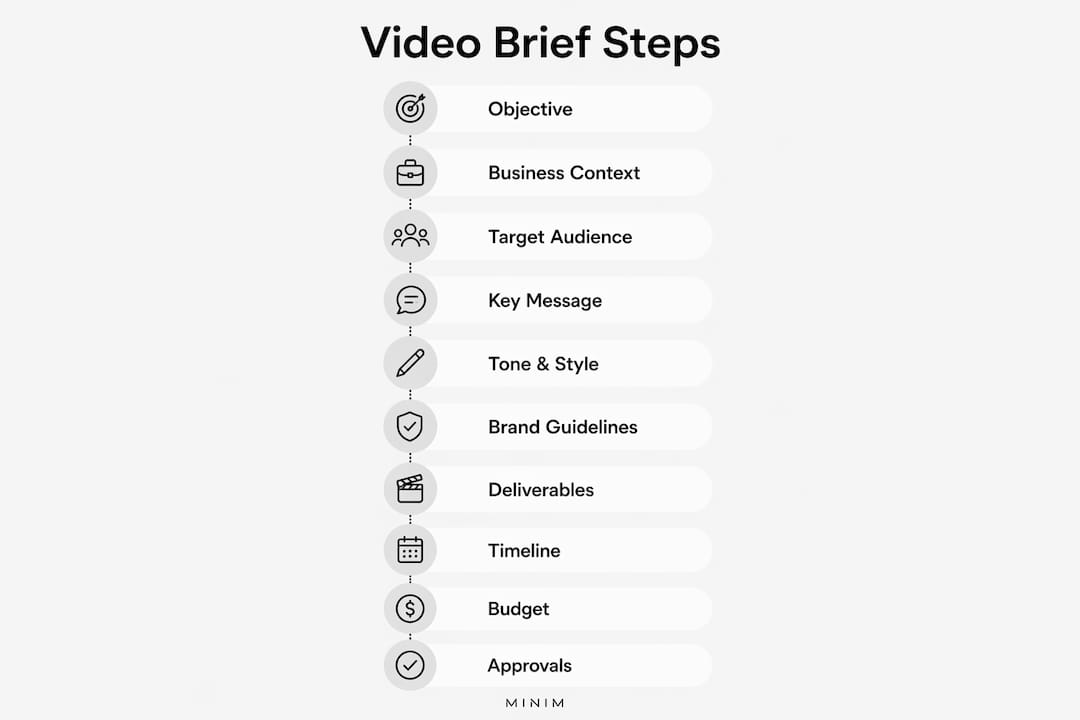
| Field | What to include | Example / suggested length |
|---|---|---|
| Project name | Working title and campaign code | 1 line: "Brand Refresh Hero Spot — Q3" |
| Objective (primary KPI) | One measurable goal tied to a business outcome | 1 sentence: "Drive 500 free-trial sign-ups in 30 days via paid social" |
| Business context | Why this video exists now; relevant market or product moment | 2–3 sentences |
| Target audience | Demographics, psychographics, platform behavior | 2–3 persona bullets |
| Key message / single idea | The one thing the viewer must remember | 10–20 words |
| Tone & style | Adjectives backed by reference clips or mood board | 3–5 adjectives + 2 reference links |
| Mandatory brand guidelines | Logo usage, color palette, typography, legal supers | Link to brand guide + any hard rules |
| Deliverables & formats | Every asset with length, ratio, and platform | List format (see repurposing section) |
| Distribution plan | Where each deliverable will run | Platform list with placement type |
| Timeline & milestones | Kickoff → script → shoot → rough cut → final | Dated table |
| Budget or budget range | Total or range; what is and is not included | Single figure or range |
| Roles & approvals | Who approves at each stage; one named decision-maker | Named list |
| Reference assets / inspiration | Mood board, competitor clips, past work | Linked folder or embedded images |
| Technical specs & codecs | Resolution, frame rate, codec, container, color space | Spec table |
| Post-delivery handoff | Raw footage rights, source file ownership, naming conventions | 2–3 sentences |
Attachments checklist before you send:
- Mood board (minimum 6 images)
- Reference clips (10–30 seconds each; 2–4 clips)
- Logo files (SVG and PNG, all lockups)
- Fonts (licensed files, not screenshots)
- Product assets (hero shots, 3D files, packaging)
- Legal and claims notes (any copy that requires legal review)
A one-page brief with attached tech specs and a small mood board balances brevity and completeness for production partners. Anything longer than two pages tends to get skimmed; anything shorter than the fields above tends to generate revision requests.
How to complete every template field
The difference between a brief that runs smoothly and one that generates five rounds of revisions usually comes down to three fields: Objective, Key Message, and Deliverables. Here is how to fill each field so it actually guides production.

Objective
Write one sentence. Include a verb, a number, and a timeframe. "Increase brand awareness" is not an objective. "Generate 500 free-trial sign-ups within 30 days of launch via paid social" is. A single measurable objective reduces scope creep and simplifies approvals because every creative decision can be tested against it.
Business context
Two to three sentences explaining the market moment. Why now? What changed? A product launch, a competitor move, a seasonal window. This field tells the director why the video matters beyond the brief itself.
Target audience
Write two to three persona bullets, not a demographic paragraph. Example: "25–40 / urban / fitness-focused / scrolls Instagram Reels during commute / already aware of the category but skeptical of claims." Platform behavior belongs here too.

Key message
Cap it at 20 words. If you cannot say it in 20 words, the message is not clear yet. This is the line a viewer should be able to repeat to a friend after watching once.
Tone & style
Adjectives alone are nearly useless. "Energetic" means something different to every editor. Attach two reference clips. Short reference clips communicate pacing and editing style far faster than adjectives like "cinematic" or "raw." If you cannot find a reference clip, describe the emotional state you want the viewer to feel at the 10-second mark.
Mandatory brand guidelines
Link to the full brand guide. Then call out the two or three rules that get broken most often: logo minimum size, color usage on dark backgrounds, font substitutions. Do not assume production has read the full guide.
Deliverables & formats
List every asset. Not "social cutdowns" but "three social cutdowns: 15s/9:16, 30s/9:16, 30s/1:1." The eight essentials every video brief needs include technical specs and deliverables as a mandatory field, and for good reason. Vague deliverable lists are the single most common cause of post-production disputes.
Timeline & milestones
Use dates, not durations. "Two weeks after kickoff" is ambiguous when kickoff slips. A milestone-based review schedule with hard dates prevents late changes that cost real money.
Budget
State a range if you cannot state a number. "Unknown" is not a budget. Production partners size crews, equipment packages, and post-production hours against a budget. Withholding it does not protect you; it produces a proposal that misses the mark.
Roles & approvals
Name one decision-maker per milestone. Approval-by-committee without a named tiebreaker is how rough cuts sit in review for three weeks.
Pro Tip: Write the objective before you fill any other field. Every other decision — tone, deliverables, distribution — should be defensible against that one sentence. If a creative choice does not serve the objective, cut it.
Pro Tip: For edit notes, convert subjective direction into measurable instructions. Instead of "make it feel faster," write "cut to a new shot every 2–3 seconds in the first 15 seconds." A producer can execute that. They cannot execute a feeling.
Three sample video briefs you can adapt right now
These are condensed examples. In practice, each would include the full field list from the template above. Use them as starting points, not finished documents.
-
15–30s social ad brief Objective: Drive 300 app downloads in 14 days via Instagram Reels and TikTok paid placements. Audience: 22–35 / mobile-first / fitness and wellness interest / skeptical of before-and-after claims. Key message: "Track your progress without the obsession." Deliverables: 30s master (9:16), 15s cutdown (9:16), 15s cutdown (1:1). All three delivered as H.264 MP4, 1080×1920, 29.97fps. Captions required on all versions. Tone references: [Link to two reference clips showing clean, fast-cut lifestyle footage with minimal text.]
-
60–90s product demo / explainer brief Objective: Increase demo-request form completions by 20% over 60 days; video placed on the product landing page and in LinkedIn sponsored content. Must-show features: Three specific product screens, the onboarding flow, and the dashboard summary view. Show each feature in use, not in isolation. Single CTA: "Request a demo" — spoken and displayed as a super in the final 10 seconds. Deliverables: 90s master (16:9), 60s cutdown (16:9), 30s cutdown (1:1 for LinkedIn feed). ProRes 422 masters; H.264 web exports. Tone: Confident, clear, no jargon. Reference: [Link to a SaaS demo video the client admires.]
-
30–60s brand / commercial brief Objective: Lift aided brand awareness by 8 points among 30–50 homeowners in the Southeast; measured via brand lift study tied to YouTube pre-roll placement. Emotional hook: Open on a quiet Saturday morning. The product is present but not the hero — the feeling of a well-run home is. Tone: Warm, unhurried, aspirational without being unattainable. Reference: [Link to two lifestyle spots with natural light and ambient sound design.] Hero shot ideas: Morning kitchen scene, product in use without close-up product push, family moment in background. Deliverables: 60s master (16:9), 30s cutdown (16:9), 15s cutdown (9:16 for YouTube Shorts). Closed captions on all versions.
How to write a brief that supports repurposing and multi-format distribution
The most expensive mistake in video production is shooting for one format and discovering you need six. Write the deliverables field with distribution in mind from day one.
Specify deliverables as a complete asset list
Define deliverables precisely so a single shoot supports long-form and short-form outputs. A typical asset list for a mid-size campaign looks like this: master edit (16:9, full length), three social cutdowns (15s/30s/60s), vertical assets (9:16), ten short clips for paid social, and a director's cut for internal use. Each item needs its own length, ratio, and codec spec.
Call out safe areas and framing requirements
Brief the director on vertical-first framing before the shoot, not after. A 16:9 frame shot without headroom and safe-area awareness cannot be reframed to 9:16 without losing faces or key product moments. Specify in the brief: "All hero talent and product must remain within the 9:16 safe zone throughout."
Identify clip-worthy beats in the creative direction
Tell the director which moments need to work as standalone 3–5 second clips for paid social. A product reveal, a reaction shot, a key line of dialogue. These beats need extra coverage: multiple angles, clean audio, and a held frame. If you do not call them out in the brief, the edit team will not know to protect them.
Pro Tip: Ask for edit masters and rush-export notes in the brief when the campaign requires fast turnarounds. Producers will prioritize deliverable masters when they know early which cutdowns are mandatory. A note like "15s cutdown needed within 48 hours of rough cut approval" changes how the editor structures the timeline.
When to request separate cut-downs vs. bundled deliverables
If your distribution plan includes platforms with different creative requirements (YouTube pre-roll vs. TikTok vs. CTV), request each as a named deliverable with its own spec. Do not ask for "social versions" and expect the production team to interpret that correctly. The brief is where ambiguity gets resolved, not on delivery day.
What KPIs and tracking should you include in the brief?
Success metrics belong in the brief, not in a post-campaign debrief. Define them before production starts so the creative decisions serve the measurement plan.
Primary KPIs by video type:
- Social ad: click-through rate (CTR), cost per click (CPC), conversion rate, and cost per acquisition (CPA)
- Product demo / explainer: watch-through rate (50% and 100% completion), demo-request form completions, and time-on-page
- Brand spot: aided awareness lift (via brand lift study), view-through rate, and earned media mentions
- Internal / training video: completion rate, quiz pass rate, and time-to-completion
Tracking checklist to include in the brief:
- UTM parameters for every link the video drives to (campaign, source, medium, content)
- Landing page tracking confirmation (Google Tag Manager event firing on form submit or CTA click)
- Platform-specific metrics to pull: YouTube Studio for watch-through, Meta Ads Manager for CTR and frequency, LinkedIn Campaign Manager for engagement rate
- Reporting cadence: weekly for the first 30 days, then monthly
- Acceptance criteria: define the number that means the video worked. A good brief defines success with numbers — for example, "500 new trials in 30 days" — so there is no ambiguity at the 30-day review.
One field that often gets skipped: the reporting owner. Name the person responsible for pulling and sharing metrics. Without a named owner, tracking data sits in platform dashboards and never informs the next brief.
Technical and production checklist producers need up front
Hand this spec table to production at kickoff. It prevents the most common wasted work: delivering a master in the wrong codec, at the wrong frame rate, for the wrong platform.
Deliverable spec table
| Deliverable | Aspect ratio | Resolution | Frame rate | Codec | Container | Color space |
|---|---|---|---|---|---|---|
| Broadcast / CTV master | 16:9 | 1920×1080 (Full HD) | 29.97fps | ProRes 422 | MOV | — |
| Web / streaming master | 16:9 | 1920×1080 | 29.97fps | ProRes 422 HQ | MOV | — |
| Social export (landscape) | 16:9 | 1920×1080 | 29.97fps | H.264 | MP4 | sRGB |
| Social export (vertical) | 9:16 | 1080×1920 | 29.97fps | H.264 | MP4 | sRGB |
| Social export (square) | 1:1 | 1080×1080 | 29.97fps | H.264 | MP4 | sRGB |
| Paid social (high quality) | 9:16 or 1:1 | 1080×1920 | 29.97fps | — | MP4 | sRGB |
Include platform-specific requirements in the brief: aspect ratio, length, format, subtitles, and whether the deliverable is for TV or smartphone. Subtitle files (SRT or VTT) should be listed as a separate deliverable for every social asset.
On-set logistics to note in the brief
- Location access: permits required, hours of access, parking
- Talent: signed release forms required before shoot day; name the person responsible for collecting them
- Safety: any hazards, restricted areas, or insurance requirements specific to the location
- Client presence: who from the brand will be on set and what their approval authority is
Final file handoff checklist
- Naming convention:
[ProjectCode]_[Deliverable]_[Version]_[Date](example:BRS26_Hero30s_v3_20260715) - Folder structure: Masters / Exports / Source Files / Assets / Audio
- Asset manifest: a spreadsheet listing every delivered file with its spec, duration, and checksum
- Editable source files: Premiere Pro or DaVinci Resolve project, linked media, and any After Effects comps
- Raw footage: define ownership explicitly in the brief. Define ownership of raw footage rights and post-production source files in the brief to avoid scope disputes during delivery.
For long-term storage and retrieval, media asset management platforms designed for agencies can handle version control and access permissions across large deliverable sets.
How to hand this brief to a production partner
A completed brief is the starting point, not the finish line. Here is what a clean handoff to a production partner looks like in practice.
Handoff checklist:
- Completed brief (all fields filled, no TBDs)
- Brand asset folder (logos, fonts, product images)
- Reference clips and mood board
- Legal mandatories and claims review sign-off
- Named point of contact and approval matrix
- Budget confirmation (range or fixed)
- Target launch date confirmed with stakeholders
Sample milestone schedule
A standard MINIM engagement runs through these stages, each with a defined review window:
- Kickoff: Brief review, alignment on creative direction, questions resolved (Day 1–3)
- Script and shot list approval: Written script or treatment submitted; client review window of 3–5 business days
- Pre-production: Casting, location scouting, equipment prep (1–2 weeks depending on scope)
- Shoot: Production days as scoped
- Rough cut: First assembly delivered; 5 business day review window
- Revisions: Up to two rounds of revisions included in standard scope
- Final delivery: Approved master and all deliverables packaged per handoff checklist
Late changes after rough cut approval are the most common source of budget overruns. The milestone schedule in the brief is what prevents them.
What typically sits inside and outside scope
Standard MINIM scope includes creative strategy, script, production, post-production, and deliverable exports per the spec table. It typically does not include media buying, platform trafficking, paid social setup, or music licensing beyond a production library. Knowing this before you brief saves a conversation at invoice time.
How to align the brief with your overall marketing strategy
A video creative brief that exists in isolation from the broader campaign plan tends to produce content that looks good but does not move the right numbers. The campaign brief covers strategy, channels, budget, and measurement; the video creative brief is the downstream document focused on creative execution and message. Both need to be written before production starts.
The practical alignment check is simple: pull the campaign brief and confirm the video's objective maps directly to a campaign KPI. If the campaign goal is lead generation and the video brief says "increase brand awareness," someone made a wrong turn. Fix it before the shoot.
Brand guidelines belong in the brief as a linked document, not a summary. Production teams need the actual files: color hex codes, typography specimens, logo clearspace rules. A sentence that says "follow brand guidelines" is not a brief field; it is a placeholder.
One alignment step that gets skipped: the content calendar. Know where this video sits in the broader publishing schedule before you brief it. A hero spot that launches the same week as three other campaigns will compete for budget, attention, and approval bandwidth. Sequence matters.
How to get stakeholders aligned before the brief is final
The brief is only as good as the input that went into it. Getting that input without a three-hour workshop takes a structured approach.
Run a 30-minute stakeholder interview before you write the brief. Four questions cover most of it: What does success look like in 30 days? Who is the one person this video is made for? What is the one thing they must walk away believing? What has been tried before and why did it not work? The answers to those four questions fill the Objective, Audience, Key Message, and Business Context fields almost completely.
Circulate a draft brief for comment, not a blank template. People give better feedback on something that exists than on a blank page. Send the draft with a 48-hour comment window and a named decision-maker who resolves conflicts.
Version control matters more than most teams expect. Name every draft with a date and version number. When a stakeholder says "I thought we agreed on X," you can point to the version where that decision was made and when it changed. Brief disputes are almost always version disputes.
One more thing: get written sign-off on the brief before production starts. An email confirmation from the named decision-maker is sufficient. Verbal approvals evaporate.
How to tailor the brief for different video types
The template fields stay the same across video types. What changes is the weight you give each field and the specific guidance you add.
Explainer videos
The Key Message field carries more weight here than in any other format. An explainer that tries to explain three things explains nothing. Write the key message first, then build the script structure around it. The deliverables field should specify whether the explainer uses screen recording, motion graphics, live action, or a hybrid. For motion graphics-heavy productions, include a style frame request in the brief so the animator can show a visual direction before full production begins.
Testimonial videos
The brief needs to specify interview structure: scripted, semi-scripted, or unscripted. It should name the specific claims the subject is permitted to make (especially for regulated industries) and any claims that require legal review. Include a shot list for B-roll coverage so the edit has cutaway options. The approval field matters more here because testimonial content often requires the subject's final sign-off in addition to the brand's.
Internal and training videos
Replace the distribution platform field with a learning management system (LMS) spec: SCORM compliance, video player constraints, maximum file size for upload, and whether the video will be subtitled for accessibility compliance. The success metric shifts from CTR to completion rate and knowledge retention. Define both in the brief.
Event recap and case study videos
These briefs need a pre-event shot list and a post-event interview guide. The brief should specify which moments are mandatory coverage (keynote opening, product demo, key speaker) and which are supplementary. Timeline is compressed for these formats; build that into the milestone schedule.
Key Takeaways
A strong video creative brief locks in a single measurable objective, complete technical specs, and a named approval chain before production starts, which is what separates a smooth shoot from a costly revision spiral.
| Point | Details |
|---|---|
| Single objective first | Write one sentence with a verb, a number, and a timeframe before filling any other field. |
| Deliverables as a named list | Specify every asset with its length, aspect ratio, codec, and platform — never use "social versions" as a deliverable. |
| Measurement plan in the brief | Include UTM conventions, platform metrics, and a named reporting owner before the brief leaves your desk. |
| Handoff checklist before kickoff | Send the completed brief with brand assets, reference clips, legal sign-off, and a named decision-maker. |
| MINIM as production partner | Share your completed brief with MINIM to receive a scope estimate, sample timeline, and relevant past work. |
Why the brief is the most underrated production tool
Most production delays do not start on set. They start in a brief that said "something energetic" instead of "cut to a new shot every two seconds in the first 15 seconds," or one that listed "social assets" without specifying nine ratios and three lengths. By the time the edit is in review, the cost of fixing a vague brief has already been paid in extra shoot days, reshoots, and revision rounds.
The brief-first approach is not about paperwork. It is about making every creative decision once, at the cheapest possible moment, before a crew is on the clock. A precise brief reduces the number of questions a director has to ask on shoot day, which means more time shooting and less time clarifying. It also gives the client a document to sign off on, which means the "I thought we agreed" conversation happens before production, not after.
One thing most guides do not say: the brief is also a diagnostic tool. If you cannot fill the Objective field with a single measurable sentence, the campaign is not ready for production. The brief forces that clarity. That is its most valuable function, and it has nothing to do with the document itself.
Ready to send your brief to a production partner?
When your brief is complete, MINIM can turn it into a scoped production engagement fast. Send the completed brief, your brand asset folder, a budget range, and your target launch date to MINIM's production team. In response, you will receive a scope estimate, a sample milestone timeline, and links to relevant past work from MINIM's portfolio so you can confirm the creative fit before committing.

MINIM integrates directly with agency creative teams on a project basis, handling everything from creative strategy and screenwriting through shoot, post-production, and final delivery. No retainer, no expanding your headcount. Just a production partner that picks up where your brief leaves off. If you want to see what that looks like in practice before you send anything, explore MINIM's services for a full picture of what each engagement covers.
Useful sources and templates
- Storyblocks: Your guide to writing great video briefs — Eight essentials every video brief needs, with a free downloadable template.
- HolaBrief: What Is a Video Brief and How to Write One? — Field-level guidance on objectives, milestones, and technical requirements, with a copyable template.
- Milanote: Video Creative Brief — Free Template & Example — Visual template organizing objectives, key features, important shots, and inspiration links.
- ScoutMyTool: Marketing Campaign Brief Template — One-page campaign brief format with guidance on single primary messages and numeric success metrics.
- Prooflytics: Marketing Campaign Brief Template — Explains the upstream/downstream relationship between campaign briefs and creative briefs.
- Adobe Business: Creative briefs — how to write, examples, and templates — Canonical explainer on creative brief structure from Adobe's editorial team.
- Goldcast: Video Creative Brief Template (Free Download) — Practical template with field-by-field prompts oriented toward marketing teams.
Recommended
- Motion Graphics Ads: A Commissioning Guide for Agencies
- Our Services | Enhance Your Brand Today — MINIM | Content Production Company
- Work | Elevate Your Content — Get Started Today — MINIM | Content Production Company
- Our Services (Copy) | Elevate Your Brand Today - Explore Our Services — MINIM | Content Production Company