

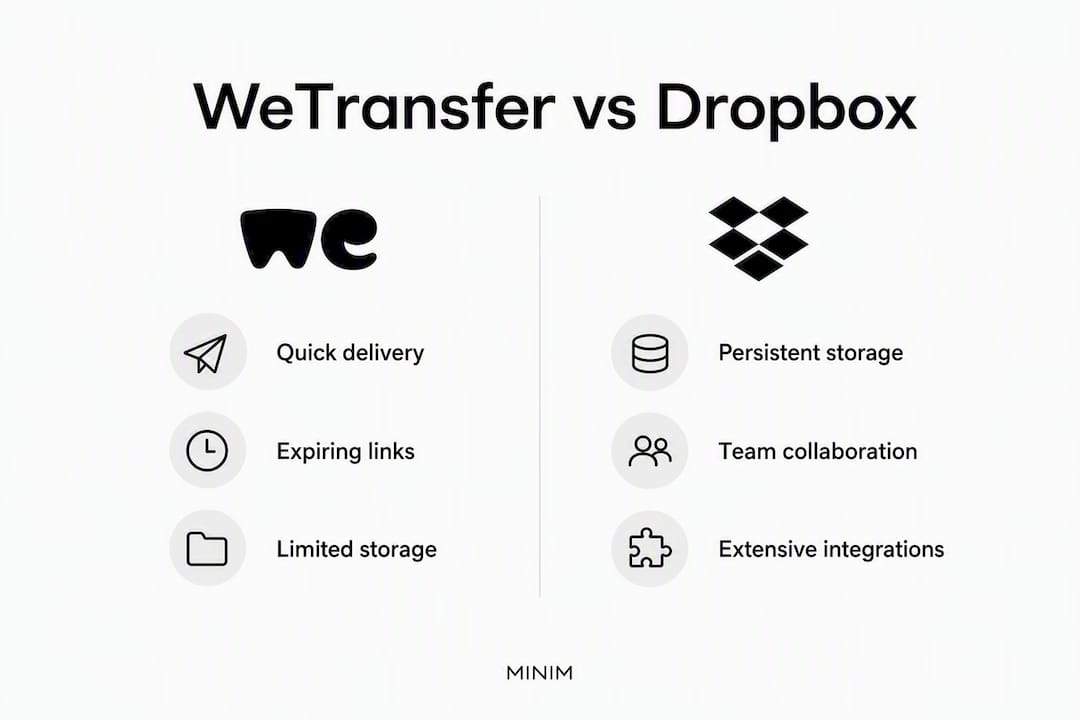
Use WeTransfer when you need to hand off large files to a client right now, no account required on either end. Use Dropbox when those files need to live somewhere permanently, stay in sync across devices, and support ongoing collaboration. That's the whole comparison in two sentences — but the details matter a lot depending on your workflow.
Pick WeTransfer when:
- You're sending final deliverables to a client or vendor who shouldn't need to create an account
- The files are large and the transfer is one-off (a campaign export, a photo gallery, a video cut)
- Speed and zero friction matter more than long-term access
Pick Dropbox when:
- Files need to persist beyond 7–30 days and stay accessible to your team
- You're collaborating on a project with version history, comments, and synced folders
- You need admin controls, audit logs, or business-tier security
If you're still not sure: use both. Most production teams do. WeTransfer handles the handoff; Dropbox holds the archive.
Table of Contents
- WeTransfer vs Dropbox: side-by-side comparison
- What's the real difference between these two tools?
- Feature-by-feature breakdown: size limits, pricing, security, and more
- Which tool fits your actual situation?
- How to send large files with minimal friction
- Agency production workflow: how professional teams handle this
- Offline access and sync behavior
- Key Takeaways
- The tool choice is the easy part
- MINIM handles the delivery so you don't have to
- Useful sources
WeTransfer vs Dropbox: side-by-side comparison
The table below covers the dimensions that actually drive the decision. Row-level notes follow for the trade-offs that aren't obvious from numbers alone.
| Dimension | WeTransfer Free | WeTransfer Pro | Dropbox Basic | Dropbox Plus | Dropbox Business | Dropbox Transfer |
|---|---|---|---|---|---|---|
| Primary purpose | One-off transfer | One-off transfer | Cloud sync/storage | Cloud sync/storage | Team storage + collab | One-off delivery |
| Max file size | 2 GB per transfer | 200 GB per transfer | 2 GB upload | 2 TB storage | 3 TB+ storage | Up to 100 GB |
| Retention / expiry | 7 days | 30 days | Indefinite | Indefinite | Indefinite | 7 days (free) / up to 1 year |
| Recipient account required | No | No | No (link download) | No (link download) | No (link download) | No |
| Collaboration features | None | None | Basic sync | Sync + version history | Full collab, comments, admin | None |
| Sharing controls | Email only | Password + email restrict | Link sharing | Password + expiry | Full admin controls | Password + email restrict |
| Pricing shape | Free | — | Free (2 GB) | — | — | Bundled with Dropbox |
| Encryption | TLS + AES-256 | TLS + AES-256 | TLS + AES-256 | TLS + AES-256 | TLS + AES-256 + audit logs | TLS + AES-256 |
| Integrations | Slack, email | Slack, email, custom pages | 300,000+ apps | 300,000+ apps | Microsoft 365, Slack, Zoom | Dropbox ecosystem |
| Best for | Quick external handoffs | High-volume client delivery | Personal file access | Solo professionals | Teams and agencies | Dropbox users sending finals |
A few things the table doesn't show: Recipient friction is nearly zero on both platforms for download-only access. Neither requires the recipient to create an account. The difference kicks in when you need the recipient to do something with the file beyond downloading it. Dropbox collaboration requires accounts; WeTransfer has no collaboration layer at all.
Transfer-first services keep costs lower by expiring files automatically. Cloud storage tiers charge for persistent gigabytes and per-user seats, which adds up fast for growing teams. That's why many agencies end up paying for both rather than choosing one.
What's the real difference between these two tools?
WeTransfer is a delivery mechanism. Dropbox is a filing cabinet with a delivery window bolted on. They solve adjacent problems, not the same one.

When you upload to WeTransfer, the file expires after 7 days on the free plan or 30 days on a paid plan. There's no folder structure, no version history, no sync. The recipient gets a link, clicks it, downloads the file, and that's the end of the relationship between the platform and the asset. For a final video delivery to a client, that's exactly right.
Dropbox works the opposite way. Files persist until you delete them. Changes sync across every connected device. You can comment on files, restore previous versions, and set folder-level permissions. The platform is built around the assumption that files have a life beyond the moment of transfer.
The operational consequences of that difference are significant:
- Expiry vs persistence: WeTransfer links die; Dropbox links stay live until you revoke them
- Sync vs snapshot: Dropbox reflects the current state of a file; WeTransfer captures a moment in time
- Versioning: Dropbox Plus and Business plans track version history; WeTransfer has none
- Account model: WeTransfer free lets senders operate without an account; Dropbox requires accounts for any editing or collaboration, though download-only recipients need none
For client delivery, WeTransfer's model is actually a feature. The link expires, the client downloads the file, and there's no lingering access to manage. For internal team workflows, that same expiry is a liability.
Feature-by-feature breakdown: size limits, pricing, security, and more
WeTransfer's brand recognition makes it the default choice for external deliveries among creatives and agencies. Dropbox wins on depth: sync, collaboration, and admin controls that WeTransfer simply doesn't offer.
File size and storage
WeTransfer Free caps transfers at a small size suitable for many files. WeTransfer Pro raises that limit significantly, enough for most video production deliverables. Dropbox doesn't impose a per-transfer file size limit the same way; it's constrained by your total storage allocation (2 TB on Plus, 3 TB+ on Business). Dropbox Transfer, bundled into paid Dropbox plans, caps at 100 GB per delivery and lets you push files directly from your existing Dropbox storage without re-uploading.
Retention and expiry
| Service | Free retention | Paid retention |
|---|---|---|
| WeTransfer | 7 days | 30 days |
| Dropbox Transfer | 7 days | Up to 1 year |
| Dropbox (storage) | Indefinite | Indefinite |
| Google Drive | Indefinite | Indefinite |
If a client needs to access a delivered file six months later, WeTransfer is not the right choice. Dropbox or Google Drive is.
Pricing
WeTransfer Pro runs at a moderate monthly cost. Dropbox Plus has a somewhat lower monthly fee for single users. Dropbox Business pricing begins higher per user per month. Transfer-first services reduce long-term storage costs through automatic expiration; cloud storage charges for every gigabyte you keep. For teams that generate and archive large volumes of media, that distinction drives real budget decisions.
Security
Both platforms use TLS in transit and AES-256 encryption at rest. The gap opens at the business tier: Dropbox Business adds admin dashboards, audit logs, and role-based access controls that WeTransfer doesn't offer. If your compliance requirements include audit trails, Dropbox Business is the only option in this comparison that delivers them.
One note worth flagging: WeTransfer faced public criticism after a terms of service update raised concerns about file usage for AI training. The company subsequently clarified that files are not used to train AI models, but the episode is worth knowing about if you're sending sensitive client assets.
Integrations
Dropbox connects with over 300,000 apps, including Microsoft 365, Slack, and Zoom. WeTransfer integrates with Slack and email workflows but doesn't match Dropbox's ecosystem depth. For teams already inside Google Workspace, Google Drive is worth considering as a third option: its integrated editing and real-time document collaboration inside the Google Workspace ecosystem is tighter than either WeTransfer or Dropbox for document-heavy workflows.
Pros and cons at a glance:
WeTransfer:
- ✓ Zero friction for external recipients
- ✓ No account needed to send (free tier)
- ✓ Clean, recognizable delivery pages
- ✗ Files expire; no persistent storage
- ✗ No collaboration, versioning, or sync
- ✗ ToS controversy (now clarified)
Dropbox:
- ✓ Persistent storage with version history
- ✓ Deep integrations and admin controls
- ✓ Dropbox Transfer bundled into paid plans
- ✗ Per-user seat pricing adds up for teams
- ✗ More setup overhead for simple one-off deliveries
- ✗ Collaboration requires recipient accounts
Which tool fits your actual situation?
| Scenario | Recommended tool | Why |
|---|---|---|
| Sending a final video cut to a client | WeTransfer Pro | No account friction; 200 GB limit covers most deliverables |
| Ongoing project folder shared with a client | Dropbox Plus or Business | Persistent access, version history, folder permissions |
| Internal team collaboration on active assets | Dropbox Business | Sync, comments, admin controls, audit logs |
| Archiving completed campaign assets | Dropbox or Google Drive | Indefinite retention; no expiry risk |
| Delivering to a non-technical recipient | WeTransfer | Universally recognized; zero-friction download flow |
| Document-heavy workflow inside Google Workspace | Google Drive | Integrated editing; no export/import friction |
| Large-file handoff from existing Dropbox storage | Dropbox Transfer | Push directly from storage; no re-upload needed |
The genuinely ambiguous case is ongoing client collaboration. If the client needs to review, comment, and request revisions over weeks, neither WeTransfer nor a basic Dropbox link is ideal. Dropbox Business with shared folders works, but it requires the client to have an account. Some agencies solve this with a dedicated client portal or a media asset management platform layered on top of cloud storage, which adds metadata, smart previews, and controlled access that neither WeTransfer nor Dropbox natively provides.
Pro Tip: Neither WeTransfer nor Dropbox supports a fully custom-branded delivery URL. The download link always sits on the vendor's domain. If your agency's brand touchpoints matter at the moment of delivery, a dedicated branded-delivery solution is worth the extra cost.
How to send large files with minimal friction
The fastest zero-friction path to an external client uses WeTransfer's browser flow. No app install, no account creation on either side.
WeTransfer transfer flow:
- Go to wetransfer.com and click the "+" to add files (up to 2 GB free, 200 GB on Pro)
- Enter the recipient's email address and your own
- Add an optional message
- Click "Transfer" — WeTransfer sends the recipient a direct download link
- The recipient clicks the link and downloads directly from the browser; no account required
Dropbox Transfer flow (for existing Dropbox users):
- Open Dropbox and navigate to the file or folder you want to send
- Right-click and select "Create a Transfer" (or use dropbox.com/transfer)
- Set an expiry date and optional password
- Copy the transfer link and send it via email or Slack
- The recipient downloads directly; no Dropbox account needed
Pro Tip: When sending final video deliverables, compress to the agreed delivery codec before uploading rather than sending raw project files. This cuts transfer size dramatically, keeps the recipient from receiving files they can't open, and avoids the re-upload cycle if the wrong version goes out. Name files with the project code, version number, and date in the filename itself — not just in the folder structure — so the client can identify the right file after downloading.
Agency production workflow: how professional teams handle this
The most practical answer for production teams isn't "WeTransfer or Dropbox" — it's both, used at different stages.
Production teams commonly keep files in cloud storage for internal use and use transfer services to hand off final deliverables. That workflow is operationally sound, but it creates two real costs: duplicated subscriptions and versioning friction when the "final" file in Dropbox and the "final" file sent via WeTransfer diverge.

MINIM's recommended process addresses that directly:
Folder and delivery checklist for agencies:
- Active project storage: Keep all working files in Dropbox Business (or equivalent) with a consistent folder structure:
/[ClientName]/[ProjectCode]/[Phase]/[AssetType]/ - Naming convention:
[ProjectCode]_[AssetName]_v[VersionNumber]_[YYYYMMDD].[ext]— applied before any transfer - Internal review: Use Dropbox's version history and commenting for internal rounds; never send a WeTransfer link for an internal draft
- Final delivery: Export the approved final from Dropbox, then send via WeTransfer Pro (or Dropbox Transfer) with a password and a 30-day expiry
- Archive: After delivery, move the final approved file to an
/Archive/Finals/subfolder in Dropbox; do not rely on the WeTransfer link as the archive copy - Retention policy: Set a calendar reminder to confirm the client has downloaded before the WeTransfer link expires
The cost trade-off is real. Running Dropbox Business plus WeTransfer Pro adds roughly $27/month per user at current pricing. For high-volume agencies, that's justified by the workflow separation. For smaller teams or occasional deliveries, Dropbox Transfer (bundled into paid Dropbox plans) covers the delivery use case without a second subscription.
One thing standard cloud storage doesn't solve: metadata-driven media asset management at scale. Smart tagging, advanced previews, and rights tracking require a dedicated DAM or MAM layer on top of Dropbox or Drive. That's a separate decision, but worth flagging for agencies managing large asset libraries across multiple clients.
Offline access and sync behavior
Dropbox handles offline access through its desktop sync client. Files marked for offline use are downloaded to your local drive and stay accessible without a connection; changes sync automatically when you reconnect. Dropbox Business adds selective sync, so teams can choose which folders live locally versus in the cloud, keeping local storage manageable on laptops with limited SSD space.
WeTransfer has no offline capability. It's a browser-based transfer tool. Once a file is downloaded, the local copy is yours to manage — but the platform itself requires an internet connection at every step. There's no sync client, no desktop app that mirrors a folder, and no mechanism for keeping files current across devices.
Google Drive sits between the two. Its desktop app (Drive for Desktop) syncs selected folders locally and supports offline editing of Google Docs, Sheets, and Slides through the Chrome browser. For non-Google file formats (video, PSD, raw audio), offline access requires the file to be synced locally first, which behaves similarly to Dropbox.
For production teams on location or traveling with unreliable connectivity, Dropbox's selective sync is a genuine operational advantage. WeTransfer is simply not designed for that scenario.
Key Takeaways
WeTransfer wins for zero-friction external delivery; Dropbox wins for persistent storage, sync, and team collaboration — and most production teams need both tools at different workflow stages.
| Point | Details |
|---|---|
| Retention is the deciding factor | WeTransfer files expire in 7–30 days; Dropbox stores files indefinitely until deleted. |
| No recipient account needed | Both platforms allow download-only access without the recipient creating an account. |
| Security parity at base level | Both use TLS and AES-256 encryption; Dropbox Business adds audit logs and admin controls. |
| Use both for production workflows | Keep working files in Dropbox; deliver finals via WeTransfer or Dropbox Transfer to avoid version drift. |
| MINIM handles delivery end-to-end | For agencies that want final packaging, versioning, and client delivery managed without the overhead, MINIM integrates directly with your production pipeline. |
The tool choice is the easy part
The WeTransfer vs Dropbox question gets answered in about 30 seconds once you know what phase of the project you're in. Transfer tool for the handoff, cloud storage for everything before and after. What agencies consistently underestimate is the gap between having the right tools and running a clean delivery process.
Version drift is the real problem. A "final" file sitting in Dropbox and a different "final" sent via WeTransfer three days later, with no naming convention to distinguish them, is how client relationships get complicated. The tools don't cause that — the absence of a delivery SOP does. Neither WeTransfer nor Dropbox enforces naming conventions, archive policies, or approval checkpoints. That discipline has to come from the team.
There's also the branding blind spot. Both platforms deliver files from their own domains. Your client's first impression of the "final delivery" is a wetransfer.com or dropbox.com URL, not your agency's brand. For most deliveries that's fine. For premium client relationships, it's worth thinking about whether the delivery experience matches the quality of the work inside the file.
The agencies that handle this well treat delivery as part of the creative output, not an afterthought. That means a consistent folder structure, a single approved final in a named archive, and a delivery link that goes out once with the right file inside it.
MINIM handles the delivery so you don't have to
File delivery sounds simple until a client emails asking which version is the approved one, or a WeTransfer link expires before the client's editor downloads the asset. MINIM's production services include final packaging, versioning, and structured client delivery as part of every campaign engagement — so your team isn't managing folder hygiene on top of a production deadline.

For agencies that want cinematic campaign execution from concept through final delivery, without adding headcount or building internal delivery SOPs from scratch, MINIM integrates directly with your creative team. See how MINIM works and reach out to discuss your next campaign.
Useful sources
- WeTransfer vs Dropbox: Key Differences Explained (Fastio) — retention windows, account requirements, and workflow comparisons
- Dropbox Transfer vs WeTransfer: Direct Comparison (BulkShare) — bundled transfer features, account friction, and custom domain limitations
- Dropbox vs WeTransfer (TrustRadius) — user reviews and brand perception for UX and simplicity claims
- 2026 Large File Transfer & Cloud Drive Comparison (FileBolt) — pricing shape and cost trade-offs between transfer and storage models
- The Best Cloud Storage and File-Sharing Services (PCMag) — encryption standards and security feature comparisons
- WeTransfer's Change of ToS Explained (Digital Loop) — context on the ToS controversy and AI training concerns
- WeTransfer says files not used to train AI after backlash (BBC News) — official company response and public clarification