

AI now handles the repetitive layers of production, transcript based editing, automated metadata tagging, color matching, and denoising, so editors and producers spend their time on the creative decisions instead. A strategic video production partner builds these tools into agency workflows without replacing the people making the calls. The gains show up fastest for agency producers, post leads, and editors juggling multiple client versions at once.
TL;DR:
- AI-driven metadata tagging and transcription significantly improve productivity by reducing manual logging time and speeding up content discovery during post-production.
- Text-based editing transforms rough-cut assembly from hours of manual work into a faster, script-like process, especially efficient for complex projects with many versions.
- AI tools like color matching, upscaling, and denoising require human QC to ensure final quality, as they still benefit from expert oversight and correction.
- On-set AI improves focus tracking and real-time environment adjustments but has limitations with complex blocking, talent direction, and inconsistent lighting conditions.
- Start AI implementation with targeted pilots focusing on core tools like metadata tagging and transcript editing before expanding to generative assets or on-set workflows.
Table of Contents
- Which AI Capabilities Actually Matter for Video Workflows
- How AI Speeds Up Pre-Production Planning
- What AI Can and Can't Do On Set
- How AI Speeds Up Post-Production Editing
- How Should Agencies Roll Out AI Video Tools?
- What Are the Real Risks of Using AI in Video Production?
- How MINIM Uses AI Without Losing Creative Control
- Where Should Agencies Put Their AI Budget First?
- Ready to Scale AI-Enabled Production Without Adding Headcount?
- Sources
Which AI Capabilities Actually Matter for Video Workflows
Most of the AI hype around video production boils down to a handful of capabilities that actually show up in daily edit bays. Understanding what each one does, and doesn't do, saves you from chasing tools that solve problems you don't have.
Text-based editing lets editors cut footage by editing a transcript rather than scrubbing a timeline. Say a word, delete it, and the corresponding clip disappears. This is one of the clearest wins in modern AI video editing, and it turns rough-cut assembly from an hours-long task into something closer to copyediting.
Automated metadata tagging scans footage and labels it by content, faces, locations, even emotional tone, so editors stop scrubbing through hours of dailies looking for one usable shot.
Color match and upscaling tools normalize footage shot across different cameras or lighting conditions and can lift lower-resolution assets to deliver at 4K without a full reshoot.
Denoising cleans up audio and image grain from difficult shooting conditions (low light, wireless mic dropout) faster than manual noise reduction.
Generative assets cover B-roll fill, placeholder VFX, and rough animated previs that get replaced by final assets later in the pipeline.
Group these by where they hit the pipeline:
- Discovery and ingest: metadata tagging, automated transcription, speech-to-text captioning
- Edit and quality: text-based editing, color match, denoising, upscaling
- Generative assets: AI-assisted B-roll, rough previs, placeholder VFX and animation
Statistic Callout: AI-driven metadata tagging and transcription are now positioned as primary drivers of productivity gains in content-heavy production pipelines, letting teams redirect hours previously spent on manual logging toward actual storytelling work.
How AI Speeds Up Pre-Production Planning
Pre-production is where AI's time savings compound the most, because every hour saved in prep avoids a corresponding cost on set. Script analysis tools now read a script and auto-tag scenes by location, character, prop needs, and estimated shoot complexity, cutting a breakdown process that used to take a full day down to an afternoon.
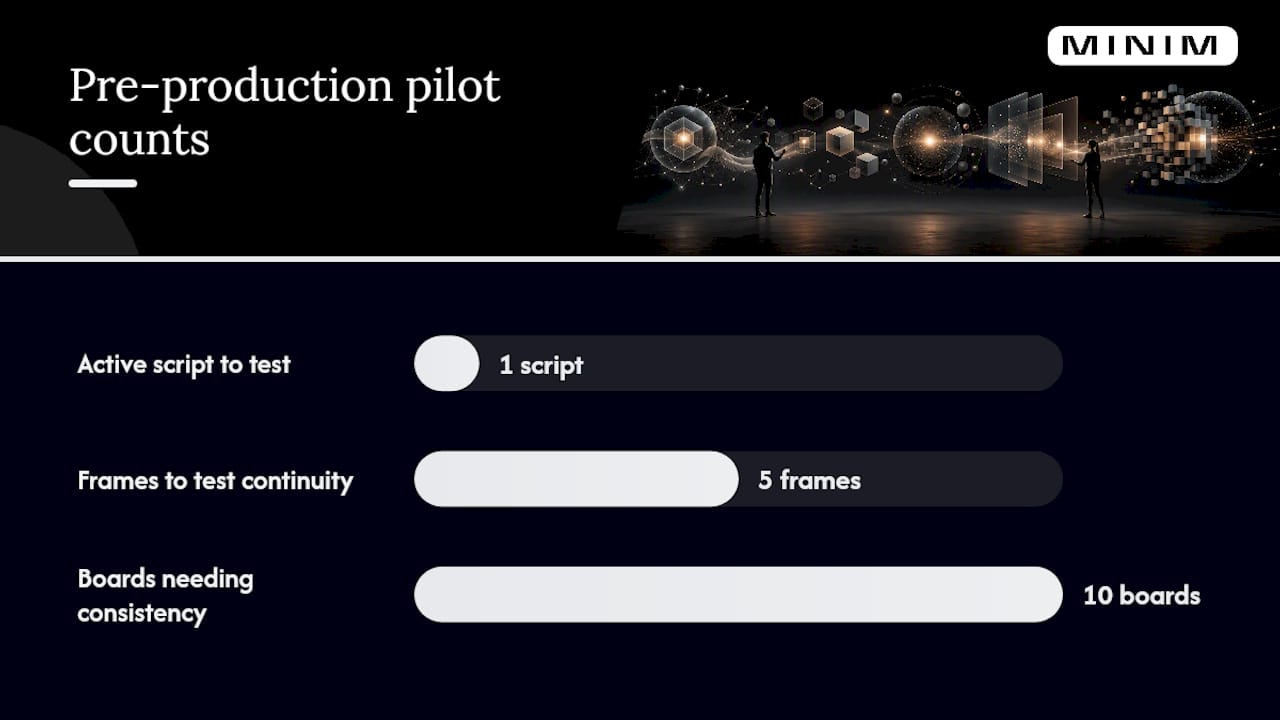
Look-dev and storyboard tools generate visual references fast, but continuity across iterations has historically been the weak point. Tools built around a persistent "project layer," holding script context and character references across every generation, are starting to fix this, which matters if you're storyboarding a multi-spot campaign and need the same character to look consistent across ten boards.
Scheduling optimization software cross-references location availability, cast windows, and equipment needs to flag conflicts before they become an expensive reshuffle mid-shoot.
Pilot checklist for testing AI in pre-production:
- Pick one active script and run it through an AI breakdown tool alongside your usual process.
- Compare tagged elements against what your assistant director would flag manually.
- Test one look-dev or storyboard tool for continuity across at least five generated frames.
- Time the scheduling draft against your last comparable project's prep timeline.
Pro Tip: Run the pilot on a real, low-stakes internal project first. Testing on a live client deliverable means you're debugging tools and managing client expectations at the same time.
What AI Can and Can't Do On Set
On-set AI is more limited than the marketing suggests, and knowing where the limits sit protects your shoot day. Eye and face tracking autofocus systems are genuinely production-ready. They hold focus on a moving subject better than a first AC in some fast-paced handheld setups, though most DPs still keep a focus puller on set for anything with critical rack focus work or unpredictable blocking.
Virtual production and LED-volume workflows rely on AI for real-time environment tracking and lighting adjustments, syncing the background plate to camera movement without manual keying. This is where AI has genuinely changed budgets, cutting location travel for certain spot types entirely.
Automated continuity logging is quietly one of the more useful additions: cameras and on-set systems can now capture take metadata, timecode, and even rough shot descriptions automatically, feeding directly into the post pipeline instead of relying on a script supervisor's handwritten notes.
Where AI still falls short on set:
- Complex blocking with multiple moving subjects still needs a human focus puller.
- Lighting continuity across days of shooting benefits from a DP's eye, not just sensor data.
- Talent direction and performance notes remain entirely human work.
Pro Tip: Test any on-set AI tool under your actual shooting conditions, not a demo reel. Autofocus tracking that looks flawless in bright, controlled light can fail on a dim interior set with practical lighting.
How AI Speeds Up Post-Production Editing
Post is where AI delivers the most measurable time savings, largely because editorial work is repetitive by nature and generates the most raw footage to sort through.
Text-based editing workflows now let editors build a rough cut by editing the transcript directly, dragging paragraphs to reorder scenes and deleting filler words with a keystroke. This changes assembly editing from a manual scrub-and-cut process into something closer to script editing, and it's one of the reasons AI video editing tools have moved from novelty to standard kit in professional suites.
Automated color match and upscaling tools normalize footage from mismatched cameras and lift resolution for delivery specs without a full regrade, though every AI color pass still needs a human QC check against the reference monitor before it goes to a client.
Captions, translation, and multi-aspect reformatting now happen largely on autopilot: one master edit generates vertical, square, and horizontal cuts with repositioned focal points, plus captions in multiple languages, in a fraction of the time a manual localization pass would take.
A practical QC checklist for AI outputs entering your NLE timeline:
- Verify auto-generated captions against the actual dialogue track, not just the transcript.
- Spot-check color matches on a calibrated reference monitor, not a laptop screen.
- Confirm reformatted crops don't clip key action or text in vertical and square versions.
- Run denoised audio through headphones to catch artifacts before delivery.
Statistic Callout: Platforms like Adobe Firefly now support prompt-based edits with full generation history inside a standard timeline editor, meaning AI-generated clips get refined with the same tools editors already use, not a separate workflow bolted on the side. For teams building repeatable post pipelines, a documented post-production workflow matters more than any single tool.
How Should Agencies Roll Out AI Video Tools?
Rolling out AI across an agency production team works best as a deliberate pilot, not a company-wide mandate on day one. The Coursera curriculum on AI for video production makes the same point structurally, building its modules around preparing video data and training teams before scaling to generative and enhancement work.
Roadmap steps:
- Choose one pilot project with a defined deliverable and timeline, not an open-ended experiment.
- Set KPIs before you start: editor hours per cut, revision cycles, versions delivered per asset.
- Assign a governance owner who signs off on every AI-touched deliverable before it reaches the client.
- Define scaling criteria in advance (e.g., three consecutive projects under target hours) before expanding tool access.
Two checklists run in parallel with that roadmap:
Technical setup:
- Confirm your media asset management (MAM) system supports the metadata schema your AI tools generate.
- Establish version control so AI-edited iterations don't overwrite human-reviewed cuts.
- Set storage and backup protocols for the larger file volumes AI upscaling and versioning create.
Team setup:
- Assign a named reviewer for every AI-generated asset, no unreviewed content reaches a client.
- Build a short training plan so editors understand each tool's failure modes, not just its features.
- Establish a sign-off gate at the rough-cut and final-color stages specifically.
Pilot success should be measured on both technical KPIs and qualitative signals like client revision counts and creative satisfaction, since technical metrics alone rarely secure agency-wide buy-in. Solid production management software makes this checklist enforceable instead of aspirational.
What Are the Real Risks of Using AI in Video Production?
The risks are specific enough to plan for rather than vague enough to ignore. Deepfake-adjacent generative tools raise real brand-safety questions if a client's likeness or a public figure's image gets manipulated without clear consent. Rights-of-use gets murkier when generative assets pull from training data with unclear provenance. Automated tagging systems can carry bias, misidentifying faces or mislabeling content based on skewed training sets. And generative fill occasionally produces artifacts that slip past a rushed QC pass and land in a delivered cut.
Mitigation steps that actually work:
- Keep provenance logs for every AI-generated asset used in a client deliverable.
- Watermark internal AI drafts so they never accidentally ship as final.
- Require mandatory human review before any AI output reaches a client-facing cut.
- Route generative assets with unclear sourcing through legal review before use.
Secure and attribute rights for any AI-generated or third-party content before it appears in a paid campaign, full stop.
Pro Tip: Build your provenance log as a habit from the first pilot, not a fix you add after a client asks where an asset came from.
How MINIM Uses AI Without Losing Creative Control
The company operates as a strategic production partner, integrating directly with agency creative teams to deliver cinematic campaigns from concept through final delivery. AI enters that process where it removes friction, faster rough cuts, consistent metadata tagging across large asset libraries, and rapid versioning for multi-platform delivery, while creative direction, color decisions, and final sign-off stay with human specialists on both sides.
The outcomes MINIM targets for agency partners:
- Faster turnaround on multi-version campaign delivery without adding internal headcount
- Consistent quality across dozens of platform-specific cuts from a single master edit
- Scalable production capacity that flexes with campaign volume instead of requiring new hires
A pilot engagement typically starts with one campaign, a defined set of deliverables, and clear versioning requirements, structured much like the technical checklist above. Agencies considering this route can review how outsourcing production work compares to expanding an internal team before committing.
Where Should Agencies Put Their AI Budget First?
Year one, prioritize text-based editing, automated metadata tagging, and multi-format versioning. Those three return the fastest measurable time savings with the lowest creative risk. Generative assets and on-set AI can wait until your team has governance habits in place. Human oversight and a named reviewer on every AI-touched deliverable matter more than which tool you buy. Measure adoption by revision cycles and editor hours, not by how many tools you've installed.
— Steven Reina
Ready to Scale AI-Enabled Production Without Adding Headcount?
This production company gives agencies a way to run AI-enabled versioning and delivery at scale without hiring, training, or managing an in-house AI production team. Where an agency evaluating a new tool has to test it, staff it, and govern it alone, a pilot with MINIM starts with an existing production infrastructure already built around metadata tagging, rapid versioning, and QC gates.

A pilot engagement typically runs one active campaign through MINIM's workflow, comparing turnaround time and version output against your current baseline before scaling further. Teams sourcing quick auto-edited demo content for sales use cases can look at examples like TrailerCast's AI sales tool for a sense of adjacent use cases outside full campaign production. When you're ready to see what a managed AI-enabled production partner looks like on a live brief, explore MINIM's services and start scoping your first pilot project.
Sources
- What Is AI Video Editing? | Coursera
- The role of AI in video production for modern content management
- 16 Best AI Filmmaking Tools in 2026 | Organized by Workflow