
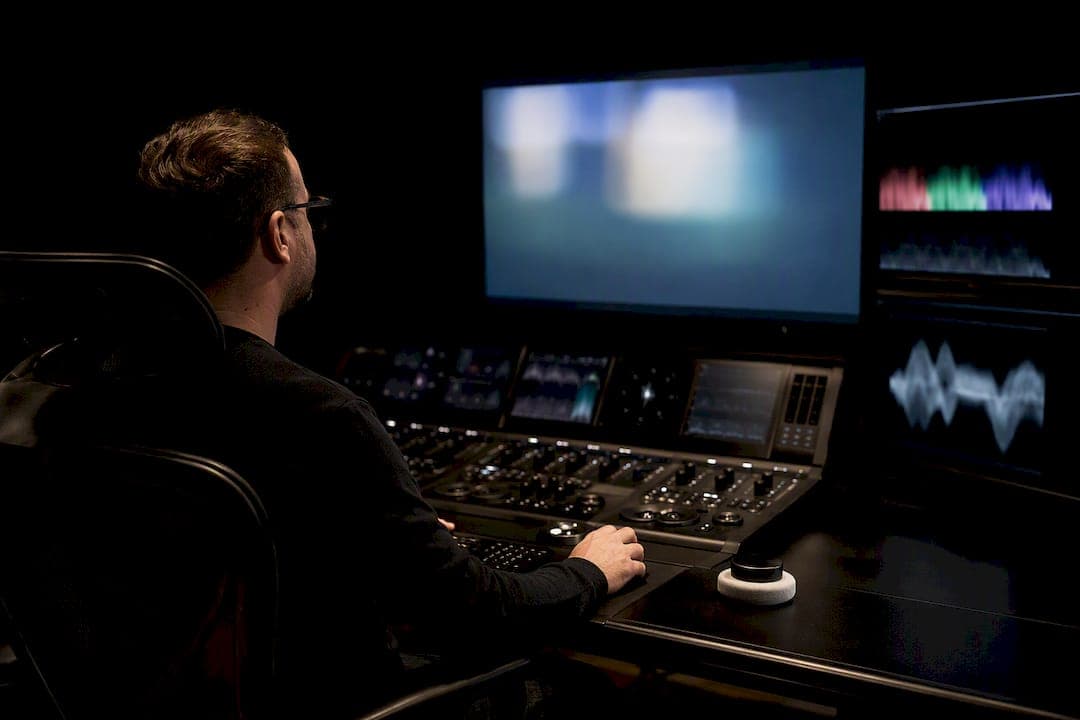
Deliver a native frame rate mezzanine master (ProRes or DNx), a matching HD file if you also supply UHD, 48 kHz split track audio at -24 LKFS ±2 dB, CEA-708 captions in .scc format, a compliant slate and timecode, a QC report, and transfer through the requester's approved endpoint. That combination clears the vast majority of broadcaster and streaming acceptance gates. It won't clear all of them, though: individual buyers like PBS Distribution and CBS layer on their own constraints, so confirm the current spec sheet before you export a final master.
TL;DR:
- Deliver a native resolution HD or UHD master at the program's correct frame rate without mixing or interpolating, and ensure progressive scan unless interlaced delivery is specifically requested.
- Use high-bitrate ProRes or DNxHR/DNxHD as your mezzanine master, followed by web-optimized MP4 files for streaming, with matching HD if UHD is also supplied.
- Follow strict slate, caption, and metadata formatting rules, ensuring accurate timecode, file naming, and caption sync in CEA-708/.scc format, plus comprehensive QC reports.
- Transfer files via approved platforms like Aspera Faspex, including all QC reports, manifests, and checksums, with early testing and confirmation to avoid costly resubmissions.
Table of Contents
- What Are Broadcast Delivery Specs, Exactly?
- What Video Specs Do Broadcasters Actually Require?
- Which Codecs and Wrappers Should You Deliver?
- What Are the Broadcast Audio Delivery Rules?
- How Do Slates, Captions, and Metadata Need to Be Formatted?
- Why Mezzanine-First Delivery Beats a Single Compressed File
- Where and How Should Files Be Transferred?
- What Causes Most Broadcast QC Rejections?
- What Extra Rules Apply to Promos, Trailers, and Ad Creative?
- How MINIM Applies This Checklist on Real Deliveries
- The Real Gap in How People Talk About Delivery Specs
- Sources
- FAQ
What Are Broadcast Delivery Specs, Exactly?
Broadcast delivery specs are the technical rules a network, distributor, or streaming platform sets for the files it will accept: resolution, frame rate, codec, audio loudness, caption format, and the method you're allowed to use to send everything. They exist because a broadcast chain has zero tolerance for surprises. A station's automation system, a CTV app's transcoder, and a cable head end all expect a file that behaves exactly like the last thousand files that worked.
These aren't universal defaults dreamed up by a standards committee for fun. PBS Distribution's technical specifications call for HD masters at 1920×1080 or UHD at 3840×2160, SMPTE-compliant frame and scan structure, and strict slate and timecode conventions. CBS's Commercial Integration Manual sets its own audio and loudness rules for commercial content. Both documents agree on the fundamentals even where the fine print diverges, and that overlap is what this guide builds from.
What Video Specs Do Broadcasters Actually Require?
Resolution has two accepted targets: HD at 1920×1080 and UHD at 3840×2160. Nothing else clears most gates. Do not upscale an SD master to hit either number. PBS Distribution explicitly bars masters that are not from native resolution sources, and any distributor running technical QC will spot interpolated detail immediately.
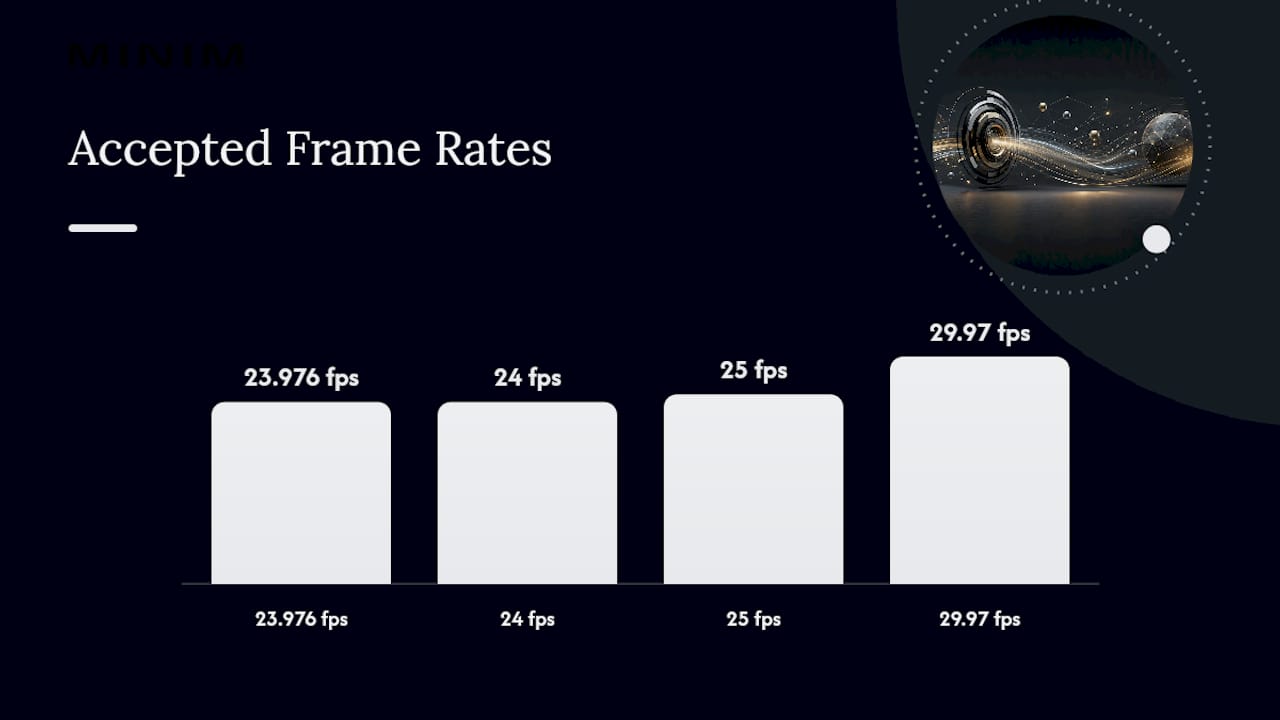
Frame rate matters as much as resolution, and it has to stay constant. Deliver at the program's native rate, whether that's 23.976, 24, 25, or 29.97 frames per second, and never mix rates within a single file. A program cut with 3:2 pulldown flags baked in from an interlaced source is one of the most common rejection triggers, because most modern pipelines expect clean progressive cadence, not a telecined hybrid.
Scan mode follows the same logic. Progressive delivery is now the default expectation for HD and UHD masters. If a buyer specifically requests interlaced output, field dominance has to match their stated convention, usually upper field first, and that detail belongs in your delivery notes, not buried in a metadata tag nobody checks.
Aspect ratio locks to 16:9 for virtually every modern deliverable. Respect safe action and safe title areas even though most viewing is now full-frame, because a downconvert to a legacy 4:3 cable tier can still center-cut your image and clip graphics you assumed were safe.
Color and levels round out the video checklist. Keep signal within legal broadcast range, roughly IRE 0 to 100, and avoid clipping highlights or crushing shadows below black. A color-safety pass before final export catches most of this.
- HD: standard high definition resolution. UHD: standard ultra high definition resolution. No upscaled SD masters.
- One native frame rate per program, no mixed cadence, no unapproved pulldown.
- Progressive scan by default; match field dominance only when interlaced delivery is requested.
- 16:9 aspect ratio with safe action and safe title respected for downconvert.
- Legal levels within IRE 0 to 100, no clipping.
Pro Tip: Run a false-color or waveform pass on your final export, not just your grade. Compression and codec conversion after color grading can push levels outside legal range even when the grade looked clean in your NLE.
Which Codecs and Wrappers Should You Deliver?
Mezzanine masters and ready-to-serve files solve different problems, and shipping the wrong one for the job is a fast way to get a package bounced. Mezzanine is your quality reservoir. Ready-to-serve is what actually plays.
For mezzanine, Apple ProRes 422 HQ or ProRes 4444 covers most requests, with MXF-wrapped DNxHR or DNxHD accepted where a buyer specifies it. These formats carry enough headroom for a publisher to transcode into whatever device-specific format they need without visible generation loss.
For ready-to-serve output, MP4 wrapping H.264 or H.265 handles streaming and CTV delivery, and it needs web-optimized flags (a properly placed moov atom, for one) so players can start streaming instead of stalling on load. When a distributor asks for adaptive delivery, structure your outputs as HLS or DASH variants rather than a single flat file.
- Mezzanine: ProRes 422 HQ, ProRes 4444, or MXF DNxHR/DNxHD when requested.
- Ready-to-serve: MP4 (H.264/H.265), web-optimized, HLS/DASH variants for adaptive streaming.
- If you deliver UHD, many distributors also want a matching HD file rather than relying on their own downconvert.
- Bitrate scales with purpose: mezzanine runs high bitrate for quality preservation, ready-to-serve files run tiered bitrates for playback efficiency.
- Watch for variable frame rate exports, missing moov atoms, and mismatched audio channel mapping. All three cause silent rejections.
What Are the Broadcast Audio Delivery Rules?
Audio specs are less forgiving than video specs because loudness errors are audible on the very first frame. The standard sample rate across US broadcast is 48 kHz, with bit depth ranging from 16 to 24 bit depending on the buyer.
Loudness is the number most finishers get wrong. US broadcast targets -24 LKFS ±2 dB under ATSC A/85, measured using the ITU-R BS.1770 algorithm rather than a simple peak or RMS meter. True-peak limiting still applies on top of the loudness target, so a mix that measures correctly on average can still clip on transient peaks if you skip the limiter stage.
Channel configuration should default to full 5.1 plus a stereo fold, with stereo as the accepted floor when a program has no surround mix. Split .wav tracks synced to picture are standard practice, not optional. Distributors expect dialogue, music, and effects on separate stems so their own QC and any future re-versioning doesn't require a full remix.
-24 LKFS ±2 dB is the loudness window CBS and ATSC A/85 hold commercial and broadcast audio to, measured per ITU-R BS.1770.
- a 48 kHz sample rate and 16 to 24 bit depth.
- a loudness of -24 LKFS plus or minus 2 dB, measured using the ITU-R BS.1770 algorithm, with true-peak limiting applied.
- 5.1 plus stereo preferred; stereo minimum.
- Split, sync-locked stems delivered as separate .wav files.
- Lip sync tolerance runs roughly half a frame; anything looser reads as noticeable drift on air.
MINIM's own audio mix standards breakdown walks mixers through hitting these targets without over-limiting a mix into flatness, which is the usual failure mode when engineers chase loudness numbers too aggressively.
How Do Slates, Captions, and Metadata Need to Be Formatted?
Getting the wrapper right and the audio clean doesn't matter if your slate, captions, or file metadata fall apart on inspection. Distributors read these elements almost mechanically, which means small formatting mistakes cause outsized delays.
- Build the slate correctly. Standard format runs 8 seconds of slate, 2 seconds of black, then program start at exactly 01:00:00:00 (or 10:00:00:00 for many international deliveries). The slate itself needs title, episode number, runtime, audio configuration, frame rate, and production company clearly legible.
- Match captions to the program precisely. CEA-708 is the standard for US broadcast captioning, and many distributors specifically request the .scc format. Captions must match the program's exact frame rate and timecode, not an approximate offset.
- Name and tag files consistently. Use clear file naming conventions with unique identifiers and version numbers, and keep an archive copy under the same naming logic so a re-delivery six months later doesn't require reverse-engineering your own system.
- Watch for the usual caption traps. Wrong character encoding, timing drift against picture, and missing speaker identification are the three issues that fail caption QC most often, and all three are catchable with a full-program caption playback check before delivery.
MINIM's guide on adding accessibility at the brief stage covers how to build caption compliance into a production plan early, rather than bolting it on during finishing when fixes cost more time.
Why Mezzanine-First Delivery Beats a Single Compressed File
Sending one compressed file and hoping it plays everywhere is the mistake that causes the most rework. A mezzanine master gives publishers and ad platforms the highest-quality source to transcode from, which matters enormously for server-side ad insertion and CTV workflows where the platform itself generates device-specific renditions. IAB Tech Lab's guidance confirms this is exactly what VAST 4.x expects: a mezzanine file paired with multiple ready-to-serve variants, not a single one-size-fits-all export.
A practical deliverable set looks like this: one mezzanine master (ProRes or DNx), a matching HD file if you also delivered UHD, and two to three ready-to-serve files or adaptive HLS variants covering high, medium, and low bitrate tiers. Name every file so its role is obvious at a glance, and build a manifest that maps each asset to its metadata automatically rather than relying on someone reading file names correctly by hand.
- Mezzanine master first, always, regardless of final delivery format.
- Matching HD file when UHD is part of the package.
- Two to three ready-to-serve tiers, or structured HLS/DASH variants for adaptive playback.
- A manifest that ties files to metadata without manual cross-referencing.
- Checksum verification and a codec-compliance pass before handoff.
Pro Tip: Run your mezzanine master through a checksum comparison against your archive copy before you upload anything. A corrupted transfer that passes visual inspection but fails checksum validation is one of the quietest ways a delivery gets rejected days later.
Where and How Should Files Be Transferred?
Transfer method is not a formality; it's often a hard requirement with zero flexibility. PBS Distribution mandates Aspera Faspex for final delivery and explicitly rejects generic cloud links as a substitute. CBS maintains a list of approved commercial delivery services for ad and commercial content. Always confirm the buyer's required endpoint before you build a transfer plan around a tool they don't accept.
A complete package includes more than the video file itself: a QC report, a manifest, checksums, and sidecar files covering captions and split audio tracks. Most platforms enforce file-size limits too, so check those before you finalize export settings.
- Confirm the mandated platform first (Aspera Faspex, an approved commercial service, or a distributor-specific portal).
- Package QC reports, manifests, checksums, and sidecar caption or audio files alongside the master.
- Check file-size limits before export, not after.
- Run a test transfer and get confirmation from the recipient before sending the final package.
- Request exceptions early. Alternate-method approvals often carry lead times that will not accommodate a same-day ask.
What Causes Most Broadcast QC Rejections?
QC runs in two passes, and skipping either one is how avoidable mistakes reach air. Automated QC checks codec compliance, frame rate consistency, audio sync, and loudness against the numeric targets. Eyeball QC catches what machines can't: dialogue clarity, visible clipping, burned-in graphics that shouldn't be there, and edit points that read wrong to a human viewer even when every number on the report is technically in spec.
- Illegal video or audio levels. The single most common automated rejection, and the easiest to catch with a proper scope pass before export.
- Wrong codec or wrapper. Delivering H.264 when a mezzanine ProRes file was requested, or vice versa, forces an immediate resubmission.
- Caption mismatches. Wrong format, drifted timing, or a frame rate that doesn't match the program.
- Slate or timecode errors. A missing field on the slate or a program start that isn't exactly where the spec says it should be.
- Upscaled masters or mixed frame rates. Both are usually detected instantly by automated QC tools and treated as automatic fails.
Build your QC report with validator logs, screenshots of any flagged frames, and a short lineage note explaining where the master came from. When something fails, fix it, re-run the full QC pass rather than spot-checking the fix, and version the file clearly so nobody downstream confuses the corrected master with the rejected one.
Pro Tip: Run your eyeball QC pass on a calibrated broadcast monitor, not a laptop screen. Clipping and banding that look fine on a laptop panel show up immediately on a properly calibrated display, and that's exactly the gap between your QC and the distributor's.
What Extra Rules Apply to Promos, Trailers, and Ad Creative?
Promos and trailers have to clear the same technical bar as the main program, captions included, and many distributors specifically require rapid ad packaging and creation capabilities for promos and trailers, including at least one 30-second promo and a trailer between one and three minutes for a given title.
CTV and ad platforms add their own numeric floors on top of general broadcast specs. Prime Video's ad guidance sets a 15 Mbps minimum video bitrate with 50 Mbps recommended for full coverage, plus a 192 kbps audio bitrate minimum. Yahoo's CTV specs sit in a comparable 15 to 60 Mbps range with the same 192 kbps audio floor and a 48 kHz sample rate requirement.
- Match main-program technical specs, captions included, for every promo and trailer.
- Meet platform-specific bitrate floors: 15 Mbps minimum video, 192 kbps minimum audio, scaling up to 50 to 60 Mbps for top-tier coverage.
- Package ad creative as VAST-ready assets with multiple ready-to-serve files, not one flat export.
- No leader graphics or overlays before the ad start point unless a platform explicitly allows it.
- Respect safe-action framing since CTV downconverts crop more aggressively than most editors expect.
How MINIM Applies This Checklist on Real Deliveries
This checklist reflects how finishing teams should think about delivery, not just how to read a spec sheet. Steven Reina writes this section from that operational lens, drawing on the standards above and how MINIM structures its own finishing pipeline.
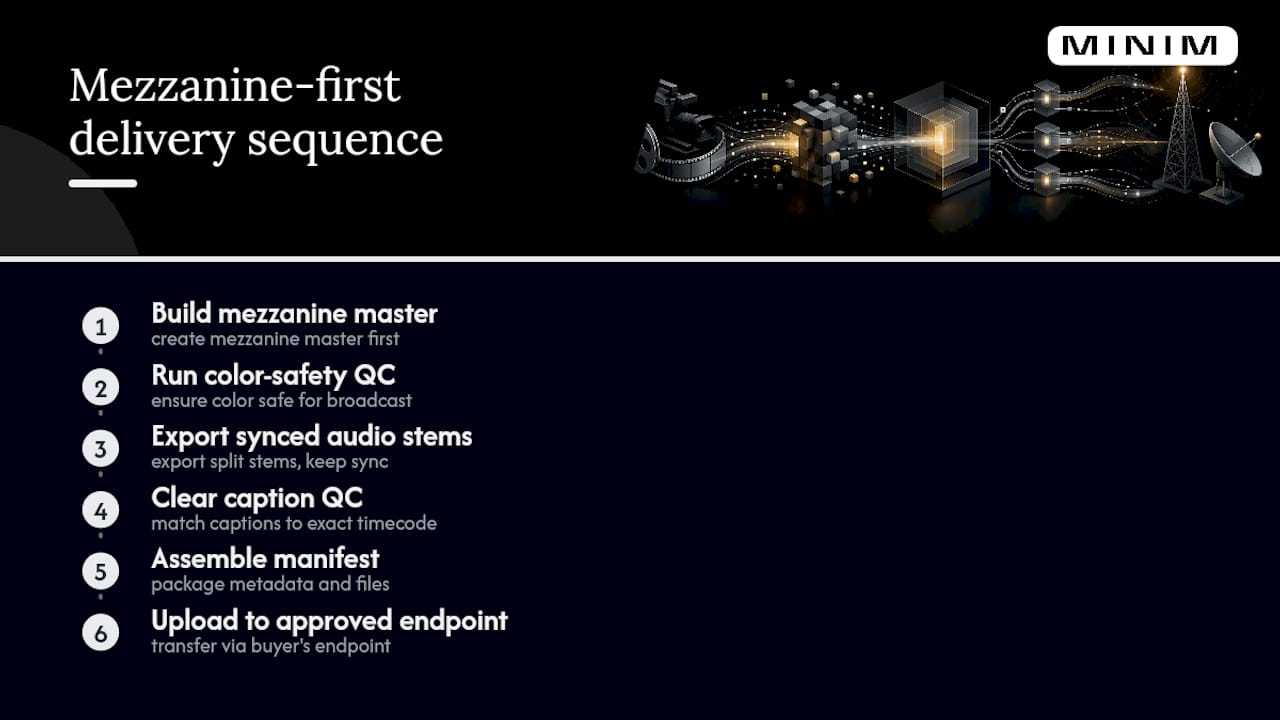
The sequence that works: build the mezzanine master first, run a color-safety pass, export synced split audio stems, clear caption QC against the program's exact timecode, assemble the manifest, then upload through the buyer's approved endpoint. Skipping steps to save time almost always costs more time later in resubmission cycles.
On tight, close-to-transmission turnarounds, lock picture and audio early and build mezzanine and ready-to-serve files in parallel rather than sequentially. Stage a test transfer to the recipient's endpoint before the real deadline, since credential or connection issues surface faster that way than during a live, time-critical upload.
Agencies that need this level of finishing discipline without adding headcount can see how MINIM structures full production and delivery through its services overview, or review completed work in the MINIM portfolio.
The Real Gap in How People Talk About Delivery Specs
Most guidance on this topic treats broadcast delivery specs like a static reference table: hit these numbers and you're done. That framing misses the actual failure point. The rejections that cost teams the most time rarely come from a wrong resolution. They come from mismatched frame rates buried in a pulldown flag, from a caption file that's technically CEA-708 compliant but drifted three frames out of sync, from a mezzanine master nobody checksummed before upload.
The conventional advice also underweights sequencing. Treating QC as a final gate before delivery, rather than a running check throughout finishing, is why so many resubmissions happen on deadline day instead of two days earlier when there was still room to fix things calmly.
If you take one thing from this guide, prioritize the mezzanine-first habit over memorizing every numeric spec. Get a clean, checksum-verified mezzanine master with correct frame rate and synced split audio, and most downstream requirements, from ready-to-serve transcodes to caption timing, fall into place with far less friction. The specs matter. The order you build them in matters just as much.
— Steven Reina
Sources
- PBS Distribution Global Technical Specifications (September 2024)
- IAB Tech Lab Ad Format Guidelines (DV-CTV, 2022)
- Streaming TV & Prime Video ad specs | Amazon Ads
FAQ
What Resolution Do Broadcasters Require for HD Delivery?
Standard HD delivery is 1920×1080, with UHD at 3840×2160 for distributors that accept it. Never upscale an SD master to reach either target.
What Loudness Level Do US Broadcasters Require?
US broadcast and commercial content targets -24 LKFS ±2 dB under ATSC A/85, measured using the ITU-R BS.1770 algorithm, with true-peak limiting applied.
What Caption Format Do Broadcasters Expect?
CEA-708 is the standard for US broadcast captioning, and many distributors specifically request the .scc file format synced to the program's exact frame rate and timecode.
Can I Send Broadcast Deliverables Through a Cloud Link?
Generally no. PBS Distribution requires transfer through Aspera Faspex and rejects generic cloud links, and other broadcasters maintain their own approved delivery services, so confirm the required endpoint before transfer.
What Is a Mezzanine Master and Why Does It Matter?
A mezzanine master is a high-bitrate source file, typically ProRes or DNx, that publishers use to generate device-specific transcodes without visible quality loss, and it's the recommended first deliverable in nearly every broadcast and CTV workflow.