
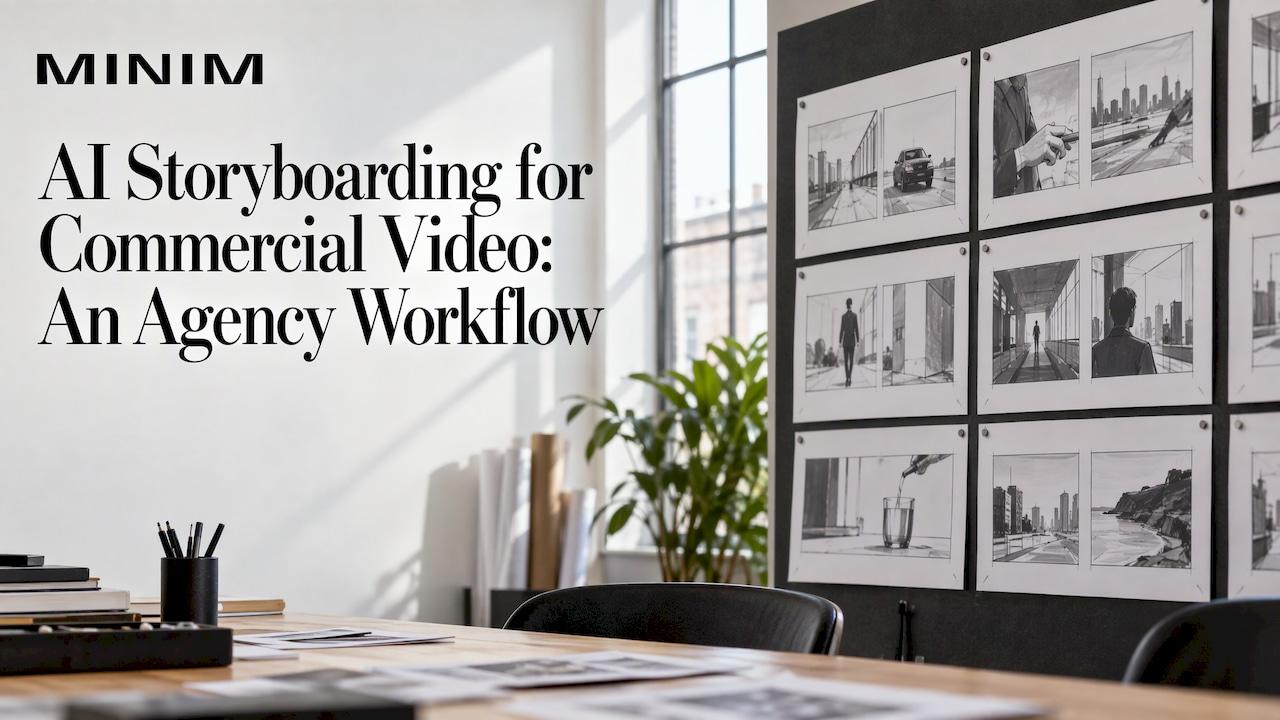
AI storyboarding means using generative tools to turn a brief or script into a shot-by-shot visual plan in minutes. It works best as a fast way to align a client and your team before production. It does not replace the decisions a director, art director and producer make. Used that way, it shortens the road to an approved concept. It also gives the crew a clearer starting point.
This guide is for creative directors and marketing directors who commission commercial work. It covers what AI boards can and can't do, how to build one, how to keep frames consistent, how to review them, and which U.S. rights questions to settle early.
TL;DR
- An AI storyboard is a set of generated frames, one per shot, so a client can react to the hook, the product moment and the call to action before anything is filmed.
- The reliable workflow is brief, shot list, reference sheets, then frames one shot at a time, with a consistency instruction repeated in every prompt.
- Research on AI boards finds fast ideation but weak spatial continuity and clarity of action, so a human director must own every shot decision.
- Treat AI frames as "intent", not "locked". Lock a board only after continuity, feasibility and department checks.
- In the U.S., purely AI-generated images generally can't be copyrighted, and commercial-use terms depend on the tool provider. Check both before a board goes into a deck.
Table of Contents
- What AI storyboarding is, and what it produces
- How to turn a brief into a storyboard with AI
- Writing prompts that hold up frame to frame
- Turning an existing video into a storyboard
- Reviewing and refining boards before production
- What AI does well, and where a director still leads
- Rights, privacy and commercial use in the U.S.
- Our perspective
- Take an approved board into production
- FAQ
- Sources
What AI storyboarding is, and what it produces
A traditional storyboard maps a video shot by shot before production starts. Each panel shows framing, action and camera movement, paired with notes on dialogue, timing and sound. AI storyboarding keeps that format and changes how the panels get made. Software builds the running order of scenes and the artwork for every frame from your script, in minutes instead of days.
For a commercial, the practical output is a one-page view of the spot. Per one published workflow guide, you can check the hook, the product moment and the call to action together. It also hands the video model a visual plan instead of a paragraph to interpret.
The tools differ in scope. One AI storyboard generator turns a script, prompt or rough idea into boards that map characters, settings, camera angles and story beats, and it lists social campaigns, video ads, product demos and pitches among its uses. A May 2026 platform release bundles idea generation, storyboarding and editing, with a storyboard editor, saved characters, locations and products, camera, lighting and mood controls, and vertical, square and 16:9 formats.

Two ways boards feed AI video
If your team also uses generative video, the board can be handed on in two ways. In the first, you upload the whole board as one reference to the video model. In the second, you generate a still per shot and animate each one. The second costs more generations but gives a clean, full-size start frame per shot. Either way, the board stays a planning document. For finished commercial work, the plan goes to a production crew. We cover the agency side of that handoff in our guide to piloting AI video production without adding headcount.

How to turn a brief into a storyboard with AI
The teams that get usable boards do not start with a prompt. They start with the brief. Here is a sequence that matches what published workflows describe.
- Write a short brief. Name the product, the target audience and the core message. One workflow guide suggests feeding that brief into a text generator to build a structured shot list.
- Stabilize the scene headings. If you are working from a script, one walkthrough describes four passes: fix the scene headings, build reference sheets for characters and places, break each scene into shots, then generate the panels.
- Break scenes into shots. Each shot gets a type (wide, medium, close-up, insert) and a one-line action.
- Generate one frame per shot. Combine a master prompt with each shot's type and action, and generate each frame one shot at a time.
- Edit down. Cut frames that repeat information.
How many frames? Agencies typically turn a script or brief into six to ten frames, each standing in for a camera shot, so the client has something concrete to react to. A 30-second spot rarely needs more. One storyboard guide makes the editorial point well: a clear 12-frame board beats a 30-frame board with redundant shots, because every frame should add new information or emotion.
For the pre-AI fundamentals of boards on commercial sets, including who signs off and when, see our storyboards for commercials workflow guide.
Writing prompts that hold up frame to frame
The most common failure is drift: the hero's jacket changes color, the product label shifts, the kitchen becomes a different kitchen. Three habits reduce it.
Build the five parts of a prompt
One prompt guide names five core components: scene context, character description, camera and framing, lighting and mood, and exclusions. Leave one out and the panel loses clarity. A usable frame prompt for a skincare spot might read like this:
Interior bathroom, morning light. A woman in her thirties, short dark hair, white robe, holds a pump bottle of serum at chest height. Medium shot, eye level, slight push-in implied. Soft window light from the left, calm, clean palette. No text on screen, no extra people, no logo changes.
Generate reference sheets first
One design guide advises generating reference sheets before any storyboard frames and using them as the source of truth for every later frame. Make a sheet for each recurring character, the product, and each location. Several tools now save these as reusable elements that carry from shot to shot, as in one script-to-board generator that extracts recurring characters and props automatically.
Add a consistency lock
A widely shared tactic is a "consistency lock" block in the prompt. It tells the model not to redesign characters, clothing, accessories, props, architecture or materials, and to preserve colors, proportions and visual identity in every panel. For grid-style generation, a guide on multi-panel images recommends starting from a base image and asking for variations of it where only the camera angle changes. The same guide notes that long grids can drift by the last row. Its fixes: repeat the lock phrase near the end of the prompt, cap grids at nine panels, and if one panel is wrong, regenerate using the grid as the new reference.
Some tools also offer a more guided route. One commercial storyboarding tutorial walks through setting a style source and starting panel, generating consistent panels frame by frame, and optionally animating a panel to show camera movement in a client pitch.
Turning an existing video into a storyboard
Readers also ask how to go the other way: start from a finished or rough video and produce a board. This is useful for reverse-engineering a reference spot, documenting an animatic, or briefing a new crew on an existing campaign. The approach is straightforward and does not depend on any one tool.
- Mark the cuts. Watch the video and note a timecode at every edit. Each cut is a candidate panel.
- Pull one frame per shot. Export a still from the strongest moment of each shot. Skip near-duplicate shots.
- Write the shot notes yourself. Under each still, record framing, camera movement, action, dialogue and timing. This is where human judgment matters most.
- Use AI to restyle or fill gaps. If you need clean, brand-safe frames rather than stills from someone else's footage, feed your own notes and your reference sheets to an image generator and regenerate each panel in your own look.
- Check the result against the original timing so the board's rhythm matches the cut.
If the source footage is not yours, remember that stills lifted from it may carry rights. Use them internally as reference only, and generate original frames for anything a client or crew will rely on.
Reviewing and refining boards before production
A board that looks good in a pitch can still fail on set. A good review process separates what is settled from what is a sketch.
What a production-safe package contains
One workflow guide lists the elements of a production-safe storyboard package: scene objective, emotional beat, shot or framing note, character callout, action beat, visual references, reference links, version notes and approval status. It also recommends capturing client notes with version notes, approval gates and visible status, rather than overwriting earlier intent.
Five checks
A previs-focused guide proposes validation checks: an edit test, a continuity pass, a blocking pass, a feasibility pass and a department handoff. It also suggests labeling each frame as "intent" or "locked" so nobody builds from sketch material by accident.
In practice, for a commercial:
- Edit test: Do the frames cut together? Read the board in sequence and check the story survives.
- Continuity: Wardrobe, props, time of day and screen direction match across frames.
- Blocking: Can the actors and camera physically do what the frame implies?
- Feasibility: Does the shot fit the location, schedule and budget? An impossible lens or an invented set piece has to be resolved now.
- Handoff: Cinematographer, production designer and VFX each confirm which frames they are building from.
Match review effort to cost. The same guide points out that a wrong prop in a board might waste an hour, while a wrong stunt mark can hurt someone. Anything involving stunts, rigging, minors, animals or heavy equipment should go to the relevant department head and your insurer's requirements, not be settled from an AI frame.
The board is one phase in a larger process. For where it sits among approvals, pre-production and delivery, see our agency production workflow. For how AI tools fit into agency operations more broadly, this piece on the role of AI in agency workflows is a helpful companion.
What AI does well, and where a director still leads
The research draws a consistent line. AI is strong at speed and ideation. Human direction is still what turns pictures into a plan a crew can shoot.
| Task | AI boards | Human-led direction |
|---|---|---|
| First-pass concept frames | Seconds per panel | Slower, but intentional |
| Pitch and client alignment | Strong fit | Needed to decide what to show |
| Multi-character, choreographed shots | Prone to misreading text prompts | Essential |
| Spatial and continuity logic | Often drifts | Owned by the director |
| Final footage | Not the purpose of a board | Production crew |
Supporting this, a 2026 comparative study in RECIMA21 found that AI storyboard tools offer rapid generation and better aesthetic rendering but suffer from narrative limits, spatial inconsistencies and hallucinations, and it concludes human artists remain essential for professional audiovisual pre-production. An Aalto University thesis from 2026 reached a compatible view: generative AI helps with rapid ideation and iterative sketching, though text-based control is prone to misinterpretation in multi-character and choreography-heavy shots, and it augments the cinematographer's toolkit without replacing planning and communication.
One vendor guide frames the best uses plainly: AI boards are ideal for winning pitches, concept validation and creative alignment, and not the right tool for final video or perfect photorealism of specific people without advanced techniques. Another notes that AI removes the bottleneck of drawing panels, while the decision about what each shot should be stays with the human director.
For agencies, the takeaway is practical. Use AI to get to a shared picture quickly. Then let experienced people decide framing, blocking, lenses and light. If you want to see how a polished frame translates into a lit set, our guide to the cinematic poster-shot template shows the thinking.
Rights, privacy and commercial use in the U.S.
Boards often travel: into pitch decks, client folders, sometimes onto a brand's shared drive. Settle these points first. This is general information, not legal advice. For anything contractual, talk to your counsel.
- Copyright. Under current U.S. law, works generated solely by AI without sufficient human creative input are generally not eligible for copyright protection. Human-authored scripts, selection and arrangement, substantial modification and edits may still be protectable.
- Human selection can matter. In January 2025 the U.S. Copyright Office registered a visual artwork generated with an AI tool using inpainting, because a human selected, coordinated and arranged its AI-generated elements.
- Tool terms. Commercial-use rights and data handling depend on the model provider's terms. Read them before uploading unreleased scripts, client product images or talent likenesses.
- Likeness. Don't generate boards that imitate a real person unless you have the right to use that person's likeness. Keep real talent out of prompts until releases are in place.
- Client contracts. Check what your agreement says about AI tools and confidential materials, and tell the client how boards were made.
The practical rule: the board is a planning aid. The final commercial, shot by a crew with signed releases and clear chain of title, is the asset that carries the rights.
Our perspective
We see AI storyboarding as the fastest way to get a room to agree on a picture. We do not see it as a substitute for a production partner.
A board is only as good as the decisions behind it: what the hook is, where the product lands, how a shot is lit, whether the camera move can be done on the day. Those calls come from people who have run sets, and they are why we integrate directly with agency creative teams instead of working beside them.
Our approach is to take the concept, whether it began as a sketch, an AI board or a script, and carry it through creative strategy, art direction, photography and film, and visual effects, with each project managed as a high-end production regardless of budget. AI speeds up the first look. The craft that follows is what makes a spot feel cinematic and perform.
If your team is using AI boards to win the pitch, that is a good place to start. We are the partner who makes the approved board real, without you adding headcount.
Steven Reina
Take an approved board into production
If you already have a board, or just a brief, we can help you turn it into finished work. MINIM is a strategic production partner for agencies, covering creative strategy, campaign development, screenwriting, photography and film, in-house studio work and 2D/3D visual effects, all integrated with your creative team on a project basis. Our creative and art direction work is where boards become lit, designed, shootable frames.
Bring us the board and the brief, and we will scope the production around them.
FAQ
How do I use AI to make a storyboard?
Start with a short brief covering the product, audience and message, then turn it into a shot list. Build reference sheets for characters, the product and locations. Generate one frame per shot using a consistent master prompt, and cut any frame that repeats information. Review the finished board with your director before sharing it.
What should a good storyboard prompt include?
Include scene context, character description, camera and framing, lighting and mood, and exclusions. Add an instruction not to change characters, wardrobe, props or settings from panel to panel, and repeat it in each prompt. Use your reference sheets as inputs so every frame draws on the same source.
Can AI replace a storyboard artist or director?
Not for professional pre-production. Studies from 2026 describe fast ideation but problems with continuity, spatial logic and clarity of action. AI can speed up concept frames, while a director and artist decide what each shot must show and whether it can be shot.
Can I use AI-generated storyboard images commercially?
Often yes for internal planning and pitches, but it depends on your tool provider's terms, so read them first. In the U.S., images made solely by AI generally lack copyright protection, so don't rely on them as owned assets. For ownership questions on a specific project, ask your counsel.
Sources
- Storyboard workflow guide for video ads
- AI storyboard generator overview
- QuickFrame AI 3.0 announcement, May 5, 2026
- AI storyboard generator guide
- What is an AI storyboard? A beginner's guide
- AI storyboard generator: a complete workflow for video ads
- AI storyboard from a script: the full walkthrough
- AI storyboard examples: building a sequence
- How to storyboard
- Storyboard scenario guide
- How to write storyboard prompts
- Building a production-ready AI video storyboard
- Storyboards, grids and multi-panel generation
- Storyboard a commercial with Firefly Boards
- Why good storyboards fail after client notes
- AI storyboards and previs: from script beat to frame
- Revisiting AI's efficiency for storyboarding (RECIMA21, 2026)
- AI content policy, United States
- Copyright for AI-generated visual content