
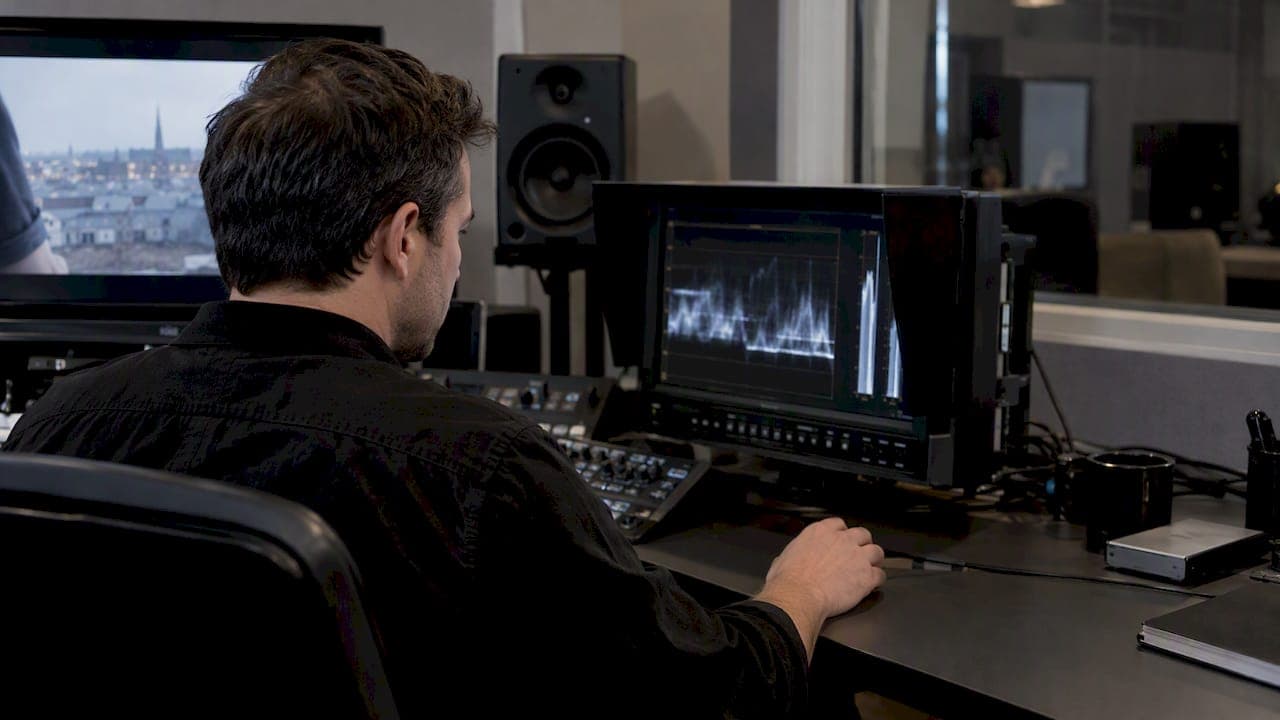
Broadcast safe levels mean keeping video luminance inside the nominal 0 to 100 IRE range, mapped to 16 to 235 for 8-bit or 64 to 940 for 10-bit video, while meeting loudness and true peak targets such as integrated LUFS and negative 1 dBTP. Your project and monitor range settings have to match the delivery spec, or your scopes will lie to you before you even start grading.
TL;DR:
- Use luma values of 16 to 235 for 8 bit exports or 64 to 940 for 10 bit; 8 bit chroma may reach 240.
- Check the exported master, not just the timeline, because codecs can clip or remap out of range video values during encoding.
- Match timeline, export, and monitor range flags; mismatches can create false QC warnings, while inconsistent bit depth can introduce rounding errors near clip points.
- Check saturated reds and skin tones on a vectorscope, then reduce saturation selectively; global desaturation can damage the rest of the grade.
Table of Contents
- Why Broadcast Safe Video Ranges Exist in the First Place
- Code Value Mappings for 8-Bit and 10-Bit Exports
- Keeping Chroma Inside Legal Gamut on a Vectorscope
- Loudness Targets and True Peak Limits for Program and Short-Form Audio
- Full vs Limited Range: Project Settings That Prevent Level Mismatches
- Placing a Broadcast Safe Limiter Without Breaking the Grade
- A Step-by-Step QC Checklist Before Final Delivery
- Mezzanine-First Delivery Notes Worth Attaching to Every Handoff
- An Editor's Take on Compliance Without Losing the Look
- Get a Production Partner Who Delivers Compliant Masters Every Time
- FAQ
- Sources
Why Broadcast Safe Video Ranges Exist in the First Place
A broadcast legal signal is one that stays inside the digital envelope a transmission chain expects, rooted in the Rec.709 nominal range used across SDR workflows. The numbers aren't arbitrary: they exist because analog and digital systems both needed headroom to carry sync information, test signals and occasional creative excursions without breaking downstream equipment.
Super white and sub black are the terms for signal that pokes past 100 IRE or dips below 0 IRE. In file-based workflows these values can survive encoding and cause clipping, color shifts or compliance failures on air, even when they look fine on a loosely calibrated monitor.
EBU R 103 addresses this directly by defining both a preferred range and a wider nominal range for digital video, with guidance on acceptable tolerance:
- The preferred range is where a signal should normally sit for safe delivery across most playout chains.
- The nominal range is wider and allows brief excursions, particularly in live production, without automatic rejection.
- Small, momentary deviations are treated differently than sustained out-of-range signal, which is why QC tools report both peak and duration.
Understanding this distinction matters when you're grading: a single bright highlight that spikes for two frames is a different problem than a sky that sits illegally hot for the whole shot.
Code Value Mappings for 8-Bit and 10-Bit Exports
Editors need the exact numbers, not just the concept, because these are the values your scopes and QC tools will flag. In 8-bit video, luma runs from 16 to 235, with chroma extended slightly to 16 to 240. In 10-bit workflows, luma maps to 64 to 940, preserving the same 0 to 100 IRE relationship with finer precision.
| Format | Luma range (code values) | Chroma range (code values) | IRE equivalent |
|---|---|---|---|
| 8-bit | 16 to 235 | 16 to 240 | 0 to 100 |
| 10-bit | 64 to 940 | 64 to 940 | 0 to 100 |
During export, values outside these ranges often get clipped or silently remapped depending on the codec and container, which is why checking a scope before encoding tells you nothing definitive about the final file. The only reliable verification happens after the encode, on the actual delivered master.
SDI transport complicates this further: certain code values near the extremes are reserved for timing and synchronization, not image data, so a full range file sent through an SDI chain without correct range signaling can clip or misinterpret those reserved codes. Mismatched range flags between your export settings and your playback or ingest system are one of the most common sources of false positives and false negatives during QC.
Keeping Chroma Inside Legal Gamut on a Vectorscope
Chroma gets less attention than luma, but it fails QC just as often.
De-matrixing during conversion between color spaces can generate illegal RGB values even when the source footage looked clean, because the math of converting YUV to RGB and back can push certain hues outside the legal gamut without any visible warning on a standard monitor.
- Watch skin tones and saturated reds first, since they clip into illegal gamut more often than other hues.
- Use a vectorscope alongside a waveform monitor, not instead of one, since chroma and luma problems don't always show up together.
- Prefer selective saturation adjustments over a blanket desaturation pass when fixing an out-of-gamut shot.
Pro Tip: Soft-roll saturation before compression on the specific hue that's clipping rather than pulling down global saturation, which protects the rest of your grade's color balance.
Loudness Targets and True Peak Limits for Program and Short-Form Audio
Audio compliance runs on loudness units, not peak meters, because peak readings don't correlate well with how loud a mix actually sounds to a viewer. ATSC A/85 provides the recommended practice for measuring and maintaining loudness in US broadcast delivery and underpins CALM Act compliance for consistent program loudness across channels and commercial breaks.
For short-form content and ads, EBU R128 S1 sets concrete numbers: programme loudness target of −23.0 LUFS, maximum short-term loudness of −18.0 LUFS, and a maximum true peak limit of −1 dBTP.
−1 dBTP is the true peak ceiling most short-form delivery specs enforce, which leaves enough headroom to prevent clipping after downstream codec conversion.
- Integrated loudness measures the whole program average and is what most delivery specs check first.
- Short-term loudness tracks a rolling window, typically three seconds, useful for catching loud scenes buried in an otherwise compliant mix.
- Momentary loudness reacts almost instantly and helps spot transient spikes that integrated measurement would average out.
Accurate readings require an ITU-R BS.1770-compliant meter. A consumer-grade peak meter or a basic DAW meter without loudness weighting will give you numbers that don't match what a broadcaster's automated QC system reports, which means a mix that looks fine on your end can still bounce back as non-compliant. For a deeper breakdown of mixer-side requirements, our audio mix standards guide walks through the checklist most mixers use before sign-off.
Full vs Limited Range: Project Settings That Prevent Level Mismatches
Full range and Limited (sometimes called Video) range settings control how your software interprets and displays 0 and 255 (or their 10-bit equivalents), and a mismatch here is one of the most common reasons footage looks correct in the edit but fails QC later.
- Confirm your timeline color space matches your source footage, typically Rec.709 for SDR broadcast delivery.
- Set your monitor's input flag to match your output range: if your NLE exports Limited range, your monitor needs to read it as Limited, not Full.
- Check bit-depth consistency across your timeline, effects and export settings, since mixing 8-bit and 10-bit nodes can introduce rounding errors near the clip points.
- Verify your scopes are reading the signal at the same stage you intend to deliver, not an intermediate preview node.
- Re-run your scopes on the exported file itself, since containers and codecs can remap range during encoding without warning.
Our guide to ACES color management covers how color pipelines handle these range conversions in more technical depth, particularly when multiple software packages touch the same project.
Placing a Broadcast Safe Limiter Without Breaking the Grade
A legalizer or broadcast-safe filter works as a guardrail, not a creative tool, and it belongs as the last effect in your signal chain, applied after LUTs, color correction, graphics and any scaling or resizing.
- Set highlight clamping conservatively so it only catches genuine excursions, not every bright highlight in the frame.
- Limit chroma gently rather than applying a hard clip, which tends to produce visible banding on saturated gradients.
- Avoid stacking an aggressive legalizer on footage that's already been carefully graded, since it can flatten highlight detail you worked to preserve.
Pro Tip: Never add a color correction node after your legalizer. Any adjustment downstream of the limiter can push values back out of legal range, undoing the exact protection you just applied.
A Step-by-Step QC Checklist Before Final Delivery
Running checks in a consistent order catches more problems than spot-checking at random.
- Review the waveform monitor across the full timeline, flagging any luma excursions above 100 IRE or below 0 IRE.
- Check the vectorscope for chroma that pushes past the 75% saturation reference on fully saturated content.
- Run an integrated loudness measurement with a BS.1770-compliant meter, confirming it matches your target LUFS and true peak ceiling.
- Export your mezzanine master, then re-run all three checks on the encoded file rather than trusting your timeline readings alone.
- Confirm file-level metadata: channel routing, range flags (Full or Limited), sample rate, and codec bit depth.
- Attach a short delivery note listing which checks ran and the resulting values, so the receiving team isn't guessing.
For teams coordinating QC across remote editors and colorists, our remote production workflow guide outlines how to keep these checks consistent when multiple people touch the same master.
Mezzanine-First Delivery Notes Worth Attaching to Every Handoff
We build every delivery around a mezzanine-first approach: encode an intermediate master first, verify it against scopes and loudness meters, then generate client-facing exports from that verified file rather than from the original timeline. Our broadcast delivery specs walk through the wrapper formats and metadata flags we standardize on for agency handoffs.

A complete handoff package typically includes the mezzanine file itself, a loudness report with integrated and true peak values, waveform and vectorscope screenshots from the final encode, and a metadata summary confirming range flags and channel routing.
An Editor's Take on Compliance Without Losing the Look
The biggest mistake in broadcast QC isn't missing a number. It's treating the legalizer as the grade instead of the safety net. EBU guidance itself favors soft-roll handling over hard clipping precisely because a gentle highlight roll preserves more of what you intended before a hard limiter ever gets involved.
When a creative look genuinely conflicts with a delivery spec, that's a conversation to have with the client early, not a problem to solve with a heavier limiter at the last minute.
— Steven Reina
Get a Production Partner Who Delivers Compliant Masters Every Time
Hitting every numeric target in this piece takes real QC discipline on top of the grading and mixing work itself, which is exactly where a production partner earns its keep. We handle commercial production, from creative strategy and screenwriting through color, mix and final mezzanine-first delivery, helping your creative team get a compliant master without having to absorb the QC overhead internally.

Our production skills page breaks down each service we offer, including full service production and 2D/3D visual effects, and our delivery specs page shows exactly what a mezzanine-first handoff includes. If you're scoping a campaign that needs broadcast-ready delivery, reach out through our company page to talk through your timeline and spec requirements.
FAQ
What are the recommended audio levels for broadcast?
Programme loudness commonly targets around negative 23.0 LUFS for short-form content under EBU R128 S1, with a maximum true peak of −1 dBTP. US broadcast workflows follow ATSC A/85 for loudness measurement and CALM Act compliance, and specific delivery specs can set their own integrated loudness target within that practice.
Should I set my DaVinci Resolve data levels to Full or Video?
Your data levels setting should match the range flag your delivery spec requires, typically Video (Limited) range for standard broadcast masters. A mismatch between your project setting and your monitor's input flag is one of the most common causes of false level warnings during grading.
What is the standard audio level for broadcast audio?
There isn't a single universal number since targets vary by region and content type, but EBU R128 S1 sets −23.0 LUFS integrated loudness and −1 dBTP true peak as reference parameters for short-form content. US workflows follow ATSC A/85 practices for measuring and maintaining loudness consistency across programming and commercials.
What are broadcast standards?
Broadcast standards are the technical specifications a video and audio master must meet before a network or platform will accept it for air, covering video levels, loudness, file wrapper and metadata. They exist to keep signal consistent across different equipment and transmission chains, and they vary somewhat between regions and delivery platforms, so always check the specific spec sheet for your target broadcaster.
Sources
- EBU R 103 — Video signal tolerance and levels
- A/85: Techniques for establishing and maintaining audio loudness for digital television (ATSC)
- Broadcast-safe: Keep video levels legal — Larry Jordan