
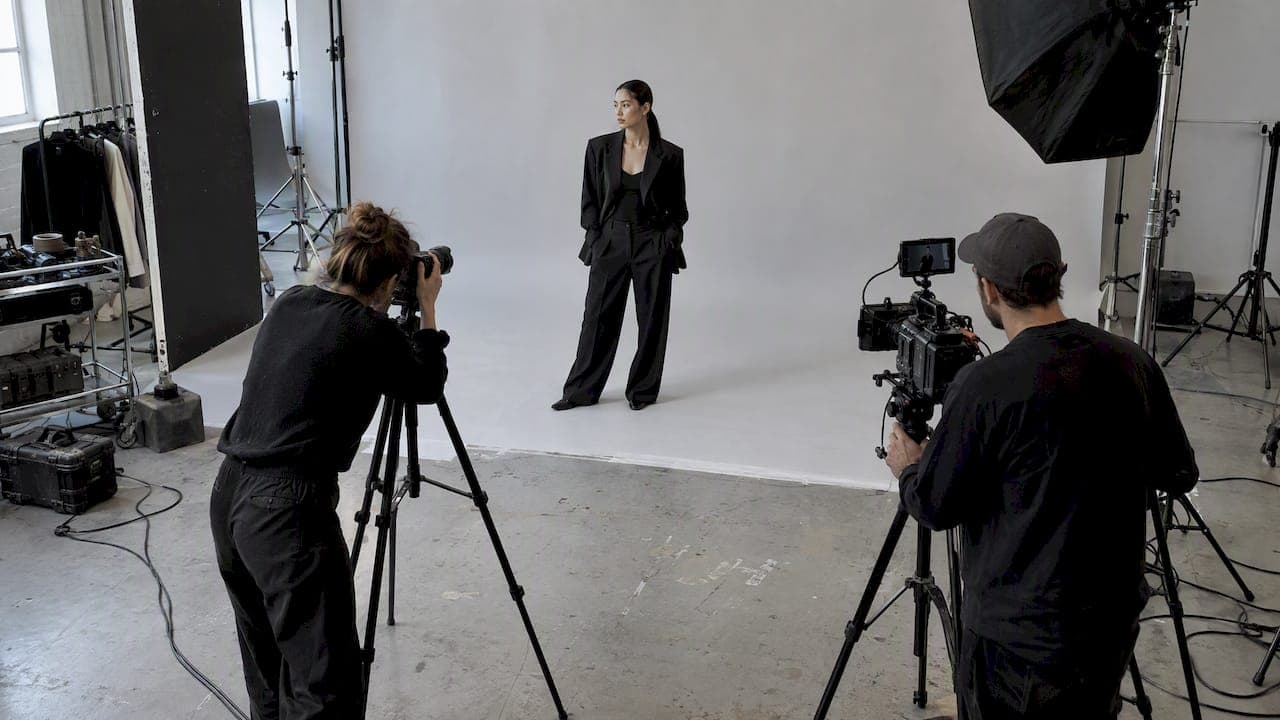
Yes, an integrated photo video shoot works reliably when you set a clear capture hierarchy, staff for both outputs, and plan lighting and audio to serve stills and motion at once. The risks are real: creative clashing between departments, lighting compromises, and post-production mismatches. Skip the planning and you get one strong deliverable and one weak one.
TL;DR:
- Video frames pulled from footage offer much lower resolution, making them unsuitable for large-format prints or billboards.
- Shutter speed and frame rate settings conflict, requiring compromises that can affect motion quality and workflow during production.
- Dedicated sound equipment and separate audio personnel are essential for video, increasing crew complexity compared to stills shooting.
- Planning the capture hierarchy and staffing in advance ensures both formats meet their technical needs without compromising quality.
- Continuous lighting with RGB LED panels is preferred for efficiency, while ND filters are necessary outdoors for proper exposure management.
Table of Contents
- Trade-offs between photo and video quality in one shoot
- How to plan an integrated shoot before you ever press record
- Lighting and gear choices that work for both formats
- Running the shoot day without departments colliding
- Organizing and grading photo and video for one cohesive look
- A production playbook for managing integrated shoots at scale
- When to combine a shoot and when to split it
- Bringing in MINIM for integrated campaign production
- FAQ
- Sources
Trade-offs between photo and video quality in one shoot
Combining formats means living with real technical tension, not just scheduling friction. Grabbing hero stills from video footage limits you immediately: video frames carry far less resolution than a dedicated still, so a frame pulled from footage rarely holds up for print or a billboard crop.
The bigger conflict is exposure logic. Stills favor fast shutter speeds, often 1/250s or faster, to freeze motion and maximize sharpness. Video needs the shutter at roughly twice the frame rate, around 1/50s for 25 frames per second, to keep motion looking natural rather than strobed or blurred, according to hybrid shooting guidance. Switching between those settings mid-scene costs time and breaks flow.
Audio adds another layer: video needs a dedicated sound plan, and following a practical wind noise reduction workflow helps clean video audio captured on location, while stills don't care about it at all. That changes your crew requirements the moment video becomes a priority deliverable.
- Resolution gaps make video-pulled stills unreliable for print or large-format use.
- Shutter and frame rate settings conflict directly between stills and motion.
- Audio needs to justify a separate crew role that pure photography never required.
Modern full-frame mirrorless bodies released since 2020, including the Sony A7 IV, Canon R6 II, and Nikon Z6 III, support both high-quality stills and strong video features, which is what makes hybrid shooting technically possible in the first place. Single-day convenience is worth the compromise when budget or talent availability makes a second shoot day impossible, but it's rarely worth it when either deliverable carries real production weight, like a hero print campaign or a broadcast spot.
How to plan an integrated shoot before you ever press record
Preproduction is where integrated shoots succeed or fail. Start by defining deliverables and their primary use cases: a print ad, a social cutdown, and a hero video edit have different technical requirements, and knowing which one matters most changes every downstream decision.
- Document a capture hierarchy that names which output takes priority in each scene or setup.
- Decide your staffing model: a single hybrid operator for low-complexity shoots, or split crews when both outputs carry real weight.
- Build shot lists and storyboards that timebox each setup, not just each scene.
- Add buffer time to the schedule. Dual capture takes longer than either format alone because of the mode switching and extra setups.
- Confirm lighting and audio plans serve both formats before the shoot day, not during it.
Top production teams treat an integrated shoot as one project with multi-channel deliverables, not two tasks running at the same time, which is the framing that prevents inconsistency later in the campaign, per production planning insight. A remote production workflow guide covers how to structure the shoot day around these priorities in more detail.
Pro Tip: Write the capture hierarchy into the call sheet itself, not a separate planning document; crews follow what's in front of them on the day.
Lighting and gear choices that work for both formats
Continuous lighting, typically high-output LEDs, tends to serve integrated shoots better than strobes because it lets you shift between stills and motion without resetting the lighting rig. Strobes still matter for high-end stills that need maximum output in a short burst, but they force a pause every time you switch to video.

A practical multi-use setup: a continuous key light, a soft fill, and a hair or background light, arranged so the ratio works for both a still frame and a moving shot. Continuous LED setups, including product families like the Aputure LS 1200d Pro, cut turnaround time between setups and reduce the number of lighting adjustments needed when alternating formats.
Outdoors, ND filters become essential. Variable NDs are more convenient for quick adjustments; fixed ND sets from brands like Tiffen or PolarPro are optically cleaner and preferred when image quality matters more than speed.
- Choose a hybrid-capable body (Sony A7 IV, Canon R6 II, Nikon Z6 III) with dual-native ISO if low-light flexibility matters.
- Pack both variable and fixed ND filters for different outdoor scenarios.
- Add a shotgun mic (Rode) or lavalier system (DJI) since internal camera mics are inadequate for video audio.
- Bring spare batteries and cards; hybrid shoots burn through both faster than single-format shoots.
Our studio lighting setups guide breaks down continuous lighting configurations that translate directly to hybrid production days.
Running the shoot day without departments colliding
The day-of choreography determines whether photo and video teams work together or against each other. Define roles clearly: the director of photography owns the visual plan, a dedicated still photographer captures stills during natural pauses, and an audio operator manages sound independently so video audio never becomes an afterthought.
- Store photo and video presets in camera custom modes (C1/C2) so operators switch physically instead of digging through menus mid-scene.
- Lead with a video blocking pass, then run a short stills burst once the lighting and blocking are locked.
- Use stills bursts during natural B-roll windows rather than interrupting a video take in progress.
- Keep slate and timecode discipline consistent so editors can sync footage without guesswork later.
- Use simple walkie cues, like "rolling" and "stills now," so neither team talks over the other.
Smaller crews often combine roles out of necessity, with one operator managing both camera modes. Larger productions split the work entirely, assigning separate photographers and videographers to the same scene from different angles.
Pro Tip: Treat every mode switch as its own small ritual: confirm the setting, confirm the shot, then shoot; skipping that confirmation is where most hybrid mistakes happen.
Organizing and grading photo and video for one cohesive look
Post-production is where a shoot either reads as one campaign or two disconnected projects. Start with separate import folders, typically /photos and /video, with consistent metadata tagging so editors can find matching setups quickly.
To match grades, export a reference still frame from the video edit and apply the still retouch look as a starting point for the video grade in DaVinci Resolve or Premiere, then refine skin tones and dynamic range separately since the two formats respond differently to the same correction. Lightroom remains the standard for stills, while Resolve or Premiere handle the video grade.
- Keep aspect ratios and crops consistent across channels so the campaign reads as unified, not assembled from mismatched pieces.
- Use native RAW stills for any print or hero deliverable; reserve video-pulled frames for social or behind-the-scenes use only.
- Apply the same caption voice and visual treatment across photo and video posts for cross-channel consistency.
- Export final files in formats matched to each platform's requirements rather than one universal export setting.
Our post-production workflow guide covers folder conventions and grading pipelines in more depth for editors managing both formats at once.
A production playbook for managing integrated shoots at scale
A typical MINIM-managed integrated shoot starts with a single creative brief covering print, social, and hero video deliverables, with the capture hierarchy set before the crew arrives. Video leads most scenes; stills are captured during blocking pauses and dedicated bursts, so neither format forces a compromise on the other.
Staffing splits a director of photography, a dedicated still photographer, and an audio operator across the day, with continuous lighting rigs serving both formats without resets. Post-production runs grading on a reference still first, then matches the video grade to it before final export.
- Lock deliverables and capture hierarchy before the shoot date.
- Staff separate roles for stills, video, and audio when the budget allows it.
- Choose continuous lighting to avoid repeated setup changes.
- Pull hero stills from native RAW captures, never from video frames.
- Grade video against a still reference for visual consistency.
- Build buffer time into the schedule for mode switching.
Readers can review examples of past integrated campaigns on the MINIM work page.
When to combine a shoot and when to split it
Combine photo and video into one shoot when budget is tight, the cast and location are simple, and neither deliverable requires maximum technical quality. Split into separate days when you have a large cast, complex visual effects, or a print deliverable that demands full-resolution native stills.
A good rule of thumb: if either deliverable is the campaign's hero asset, give it a dedicated day. If both are secondary to a bigger creative goal, like a social content package, a single integrated day usually works fine. When briefing a production partner, state the capture hierarchy and primary deliverable up front rather than asking for "both" with no priority attached.
— Steven Reina
Bringing in MINIM for integrated campaign production
A production partner can deliver premium photo and video execution without adding internal headcount. Services offered may include Creative Strategy, Production, Photography & Film, and In-House Photo Studio work, integrated on a project basis.

Hiring a specialist partner gets you two things a DIY hybrid shoot rarely delivers at the same level: a crew structured specifically around a capture hierarchy, and a post-production pipeline built to make stills and video match visually across every channel. Every project is managed as a high-end production regardless of budget.
Review our full service offerings or reach out through the company page to scope an estimate for your next integrated campaign.
FAQ
What is it called when you do photography and videography?
This is commonly called hybrid shooting or integrated photo and video production, referring to capturing both stills and motion in a single session. The term covers both the technical camera workflow and the broader production approach to combined deliverables.
What is an integrated camera?
In this context, an integrated camera typically means a hybrid-capable camera body, such as the Sony A7 IV, Canon R6 II, or Nikon Z6 III, that supports both high-quality stills and robust video features, according to hybrid shooting guidance. It is not a separate category of hardware, just a camera capable of serving both formats well.
How do you shoot photo and video at the same time?
You generally don't capture both at the exact same instant with full quality; instead, you alternate using a capture hierarchy, leading with a video pass and taking a brief stills burst during a pause in motion. Camera custom modes (C1/C2) help operators switch settings quickly between the two without losing time to menu navigation.
What equipment do I need for an integrated photo video shoot?
A hybrid-capable camera body, continuous LED lighting, ND filters (variable or fixed), and a dedicated audio kit like a shotgun or lavalier microphone cover the core requirements. Internal camera microphones are not sufficient for video audio and should be avoided for any deliverable with sound.