
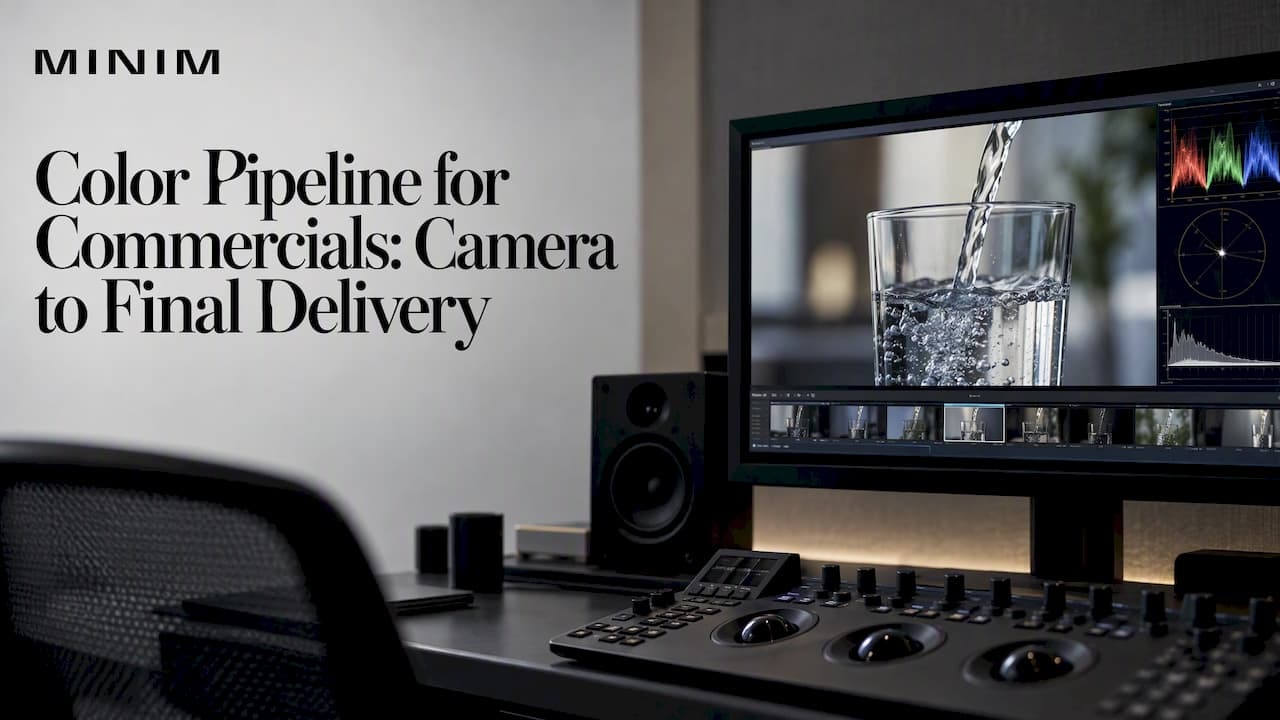
A color pipeline for a commercial is the agreed path your image takes from the camera sensor to every screen it will play on. It fixes the source color space, the working color space and the final delivery space, plus the transforms between them. It also says who looks at the picture, on what monitor, and who signs off. Decide it before the shoot and the grade goes quickly. Leave it to chance and you meet the problems in the last week, when the client's phone shows a different image than the suite.
This guide is written for creative and marketing directors and for owners who approve spots but don't live in the grading suite. It covers what the pipeline includes, what to decide before grading, how review works, what to deliver, and where pipelines break.
TL;DR
- A color pipeline defines source, working and delivery color spaces and the transforms between them, coordinated across every department that views, sends or receives images.
- Choose the camera, recording format and working space (or an ACES-style setup) before the shoot, then keep the display transform as the last step.
- Get the platform delivery specs before grading starts, and plan HDR and SDR versions up front if you need both.
- Bring creative intent, references and review rounds to the look-setting session, not to the final review.
- Most inconsistency comes from uncalibrated displays and people working in different assumptions. Align both early.
Table of Contents
- What a commercial color pipeline actually includes
- Capture: decisions that echo through the whole job
- Working space and ACES
- Where grading fits in post
- What creative and marketing teams should decide before grading
- Review and approval without the endless loop
- Delivery: specs, versions and HDR
- Why color goes wrong, and how to prevent it
- Our perspective
- Bringing a color pipeline into your next campaign
- FAQ
- Sources
What a commercial color pipeline actually includes
Think of the pipeline as four handoffs: capture, dailies and edit, grade, delivery. Each handoff is a place where color can silently change if the people on either side assume different things.
According to Netflix's production knowledge hub, a color pipeline defines the source, working and final delivery color spaces and the transforms between them. It is coordinated among the departments responsible for viewing, sending and receiving images. For a commercial that usually means:
- Camera and DIT: which camera, which recording format, which log or raw encoding, and which on-set monitoring look.
- Editorial: what the offline editor sees, and whether proxies carry a viewing LUT.
- VFX and design: what space the composites and graphics are built in, so CG matches the plate and brand colors land where they should.
- Color: the working space for the grade, the output transform, and the trim passes for each delivery.
- Finishing and delivery: encodes, file containers, loudness and metadata per platform.
On a spot with a single editor and a single colorist this can be a one-page document. On a campaign with multiple cutdowns, VFX houses and a broadcast and digital rollout, it is the document that keeps everyone honest.
Capture: decisions that echo through the whole job
Color management starts with choosing the camera and recording format, agreeing on a working color space or show LUT, and using an output transform to view images on different displays. That sequence comes straight from Netflix's color management overview.
For a commercial, the capture questions are practical:
- What will the camera record? A log or raw format keeps highlight and shadow detail for the grade. A baked-in look removes options.
- What does the set see? On-set monitoring works best with an agreed video signal path, CDL and LUT boxes, and calibrated monitors, which gives downstream dailies a repeatable starting point, as described by Netflix.
- Who owns the look on set? Usually the DP and DIT, with the colorist consulted before the shoot when the look is complex.
- Will anything be HDR? If yes, the camera and monitoring choices change. We cover that below.
For agency teams, the most valuable move at this stage is a short preproduction call with the DP, DIT, editor and colorist. It costs an hour and removes a category of surprises. If lighting is part of your look, our piece on studio lighting setups for commercials shows how lighting choices shape what the grade has to work with.
Working space and ACES
A working color space is the common ground where footage from different cameras, CG and graphics gets combined and graded. Choosing it early prevents each department from converting on its own.
ACES is an open standard for color management that aims to give consistent color transforms across software and hardware. It is particularly useful when a commercial mixes cameras, such as a cinema camera for hero shots and a smaller camera for pickups, or when VFX vendors need to match.
The key discipline is where the display transform sits. ACES Central explains that delaying the output display transform until the final stage gives greater image fidelity and lets you render for several displays, such as Rec. 709 and HDR, from a single master. For a campaign that ships to broadcast, social and connected TV, that single-master approach is the practical payoff.

The Visual Effects Society makes a related point: pinning down the DI viewing transform early matters because the rest of the production pipeline relies on visualizations worked backward from it. In plain terms, if the picture you approve in the suite is not the picture the VFX team was matching, you pay for it in rework.
If your post team is weighing ACES, our practical guide to ACES color management goes deeper on setup. Choosing the grading tool is a separate decision, covered in our agency guide to color grading software.
Where grading fits in post
Grading does not start the moment the edit is locked. It follows the online conform of the original camera files. The colorist should grade in the working color space, ahead of the output transform, per Netflix's guidance.
A typical commercial post sequence looks like this:
- Offline edit on proxies or dailies with a viewing LUT.
- Picture lock, or a near-lock with a clear change policy.
- Online conform from the original camera files.
- VFX and graphics integration in the agreed working space.
- Grade, in the working space, with the output transform applied last for monitoring.
- Trim passes and versioning for each delivery.
- QC, encoding and delivery.
The order matters because a grade done on proxies, or before the conform, gets thrown away. We lay out the studio-side flow in our post production workflow guide, and the time-saving angle for agencies in our piece on commercial color grading.
What creative and marketing teams should decide before grading
The grade goes fastest when the colorist is not guessing at taste. Bring these to the first session:
- Creative intent: one or two sentences on the feeling. "Warm, sunlit, optimistic" is more useful than "make it pop."
- References: stills from films, photography or past campaigns, with a note on what you like about each (contrast, skin, color palette).
- Brand color rules: exact brand colors, product colors that cannot drift, and skin tone priorities.
- Technical delivery specs: every platform, in writing, before the first frame is graded.
- Review rounds: how many, who attends, and who has final say.
A short look-setting session before full-scale grading is the cheapest alignment tool we know. The colorist builds two or three directions on a handful of key frames, and the team picks one. Then the grade of the whole spot builds on a decision rather than a hope.
Define your vocabulary too. "Pop," "cleaner," "more cinematic" and "less yellow" mean different things to different people. Pin them to a reference frame.
Review and approval without the endless loop
Remote review is now normal. Platforms that support timestamped comments, annotations and version management make it easier to review and approve a look without a live session. Share work in progress with time-coded notes so every comment points to a frame, not a memory.
Three rules keep review from sprawling:
- One consolidated set of notes per round. Agency, brand and legal feedback gets merged before it reaches the colorist.
- Review on a known display. A note made on an uncalibrated laptop is a note about the laptop.
- Separate color notes from edit notes. Changing the cut after grade starts can force a re-conform.
An important caution: a streaming review link is a compressed preview. Use it to judge direction and continuity. Approve final color on a calibrated reference display, either in the suite or on a properly set-up monitor.
Delivery: specs, versions and HDR
Every destination has its own technical requirements. Platform specs commonly define codec, color space, audio loudness, frame rate and file container, so collect them before grading and plan HDR and SDR versions if you need both. A typical commercial may need a broadcast master, a digital master, social cutdowns in several aspect ratios and sometimes a connected TV version.
On the HDR side, requirements can be strict. Paramount's studio content operations document, for example, states that HDR content for its scripted programming must be captured at 16-bit, with measurements on a calibrated serial digital waveform monitor or rasterizer. That is a long-form programming spec, not a rule for ads, but it shows the level of rigor to expect when HDR is involved. The same document allows up-resing of personal, archival or stock footage that did not originate at the mastering resolution, provided metadata tags match the file specification. That matters if your spot includes stock or archive shots.
Dolby Vision adds its own steps. Mastering requires an HDR master and Level 1 analysis metadata, optionally adds creative Level 2 trim metadata, and then creates the deliverables, according to Dolby's best practices guide. Planning for it after the SDR grade is locked usually costs more than planning for it up front.
For more depth:
- HDR advertising video: how to plan, shoot and deliver it
- Broadcast deliverables: five essentials for acceptance
- Mezzanine-first broadcast delivery specs
- Broadcast safe levels after encoding
- Post production deliverables, including IMF and IMSC1
Why color goes wrong, and how to prevent it
Most color problems are not artistic failures. They are alignment failures. Netflix's guidance is to get everyone on the same color pipeline and calibrate displays to industry color standards. Here is how that plays out on real jobs.
| Problem | Typical cause | Prevention |
|---|---|---|
| Footage looks flat or washed out in the edit | Log footage viewed without a viewing transform | Apply an agreed viewing LUT to dailies and proxies |
| VFX shot doesn't match the plate | Vendor converted color space differently | Send the pipeline document and test frames before work begins |
| Spot looks different on the client's screen | Uncalibrated display or compressed review file | Approve on a calibrated display; treat links as previews |
| Brand color shifts between versions | Separate conversions per deliverable | Grade once in the working space, then trim per output |
| HDR version feels disconnected from SDR | HDR considered after SDR was locked | Plan both in the same session |
| Late rework of the grade | Edit changes after grade began | Set a change policy at picture lock |
A useful habit is a single test chart or short test clip that travels through every stage of the pipeline. If it looks right at the end, the path works. If it doesn't, you can find the stage that broke it.
Our perspective
We work as a production partner inside agency creative teams, and the same pattern repeats: the color conversation happens too late. By the time a creative director is looking at a grade, the camera, the VFX space and the deliverable list are already fixed, and any color complaint becomes an expensive complaint.
So we push the decisions earlier. We want the colorist, the DP and the editor in the same preproduction call. We want the delivery specs on the table before the first frame is graded. And we want one person on the agency side who owns color notes, so feedback arrives as one voice. None of this is glamorous, but it is what lets a cinematic look survive from the set to a phone screen.
The other half is expectations. Whatever the budget, a commercial deserves to be handled as a high-end production. That means the pipeline is documented, the reference displays are calibrated and the approval path is clear, whether the job is one hero spot or a campaign with twenty cutdowns.
— Steven Reina
Bringing a color pipeline into your next campaign
If you are an agency or brand team that wants this handled without adding headcount, we integrate with your creative team from concept through final delivery. Our full-service production, photography and film, and visual effects services cover the stages where a color pipeline is won or lost, and our in-house photo studio keeps capture under controlled conditions.
To see how that looks in finished campaigns, browse our recent work. If you have a spot in planning, tell us the platforms and the look you are after, and we will map the pipeline with you before anyone picks up a camera.
FAQ
What is a color pipeline in commercial production?
It is the agreed path color follows from camera to final delivery. It defines the source, working and delivery color spaces, the transforms between them and the departments responsible at each handoff. Its purpose is that the image looks the same, or deliberately different, wherever it is viewed.
Do I need ACES for a commercial?
Not always. ACES is an open standard that aims to give consistent transforms across software and hardware, which helps when you mix cameras, VFX vendors or HDR and SDR deliverables. A single-camera spot with one delivery may work well with a simpler managed setup. Ask your colorist which fits your job.
When should the colorist get involved?
Before the shoot if the look is complex, and at the latest before the edit locks. Early involvement means the camera format, monitoring LUTs and working space are chosen with the grade in mind. The grade itself happens after the online conform.
Should I plan HDR and SDR versions from the start?
Yes, if any platform on your list accepts HDR. Collect the platform specs before grading and decide which version is the primary master. Planning HDR after an SDR lock tends to cost more, and formats such as Dolby Vision add their own metadata steps.
How many color review rounds should we plan?
Agree the number before grading starts, along with who attends and who has final say. A look-setting session up front plus one or two full-spot rounds works for many commercials, but the right number depends on the number of versions and stakeholders. Use timestamped notes so each round stays tight.
Sources
- Netflix Knowledge Hub: What is color management
- ACES Central: ACES overview summary
- Visual Effects Society: Cinematic Color
- Paramount: Studio content operations
- Dolby Vision color grading best practices guide
- Mixing Light: Look setting review and approval with Frame.io